Proxmox VE
Professional Open Source virtualization. The real alternative to VMware and Hyper-V.
Why virtualize?
Before talking about Proxmox, let's answer the real question: why turn one physical server into many virtual ones in the first place?
Hardware sitting idle
A modern server has 20-30 CPU cores and 64-128 GB of RAM. Running a single service on it wastes 80% of the hardware. Virtualization fills that gap.
Services that shouldn't share a roof
Mixing your mail server, your ERP and your website on the same machine means one bug or one attack can take down everything. Virtual machines isolate each service in its own sealed box.
Backups that actually work
A virtual machine is just a file. You can snapshot it before any risky change, restore it in minutes if something breaks, and copy it off-site for disaster recovery. Try that with a physical server.
Scale at the speed of thought
Need a new server? Click "create". Need it gone? Click "delete". No hardware to buy, no cables to run, no rack space to find. Hours of work become minutes.
Survive a hardware failure
When two or more servers form a cluster, a virtual machine running on a failed node restarts automatically on a healthy one. The service barely blinks.
Stop bleeding licenses
VMware now charges per CPU socket and per feature. With open source virtualization you pay zero in licenses and reinvest that money in hardware that actually works for you.
What is Proxmox VE?
Proxmox Virtual Environment is an open source server virtualization platform based on Debian Linux. It combines two virtualization technologies: KVM (full virtual machines) and LXC (lightweight containers), allowing you to run multiple operating systems and applications on a single physical server.
With Proxmox you can manage your entire infrastructure from an intuitive web interface, without the need for expensive licenses like VMware vSphere or Microsoft Hyper-V.
Key features
LXC Containers
Lightweight containers with near-native performance. Ideal for Linux services: web, databases, applications.
KVM Virtual Machines
Full virtualization: Windows, Linux, any OS. With VGA passthrough and dedicated GPU.
Native ZFS
Advanced file system with snapshots, compression, deduplication, and built-in data protection.
Clustering
Group multiple servers into a cluster with live migration of virtual machines between nodes.
Integrated backups
Scheduled backup system with Proxmox Backup Server. Fast and verifiable restoration.
High availability
Built-in HA: if a node fails, VMs automatically restart on another cluster node.
What can you actually do with all of this?
Forget the jargon for a minute. Here are ten very real things this infrastructure lets you do, even if you have never touched a server in your life. Picture explaining it to your 77-year-old mother: you would describe it like this.
Your own private photo cloud
All the photos and videos from every phone in the family, automatically saved at home. No Google, no iCloud, no monthly bill. It is like having your own family album, but in a shoebox that holds a million pictures.
Email with your own name on it
Imagine writing from maria@yoursurname.com instead of a generic gmail address. Looks professional, no ads, no algorithm reading your messages. Same inbox feeling, your own front door.
A website that never goes down
Your personal site, your local business, your blog. Hosted on two servers at the same time, so when one falls asleep the other keeps the lights on. Visitors never even notice.
Automatic copies of everything
Every laptop, phone and tablet at home quietly copies its important files here every night. If a device breaks, gets lost or is stolen, the memories and documents are safe. Like a fire-proof safe, but for digital things.
Home video surveillance
Cameras at the door, the garage or the garden, recording locally on your own server. You watch them from your phone, the recordings stay at home, and nobody else has a copy.
Your own private AI assistant
Like ChatGPT, but living inside your house and trained on your own documents, contracts and family recipes. Asks no money, sends nothing to the internet, and works even when the line is down.
A safe door home from anywhere
Sitting in a hotel in another country, you flip a switch on your phone and your laptop behaves as if it were at home, on your home network. Private, encrypted, no shady third party in the middle.
Family movies and music server
Your own little Netflix for home movies, family videos and music. Watchable from any TV, tablet or phone in the house, even in the kitchen while cooking. No ads, no "this title is not available in your country".
A phone receptionist that never sleeps
An AI voice assistant that answers your business calls 24/7, takes messages, books appointments and writes them straight into your calendar. We use it ourselves: meet María.
Documents and digital signatures, your way
Sign contracts, share files with the lawyer or the accountant, and keep everything organized in folders only you control. No more "have you got space on Dropbox?" between cousins.
All of this runs on a single shared infrastructure. Add one more "apartment" inside the building whenever you need it, no extra hardware, no extra licenses.
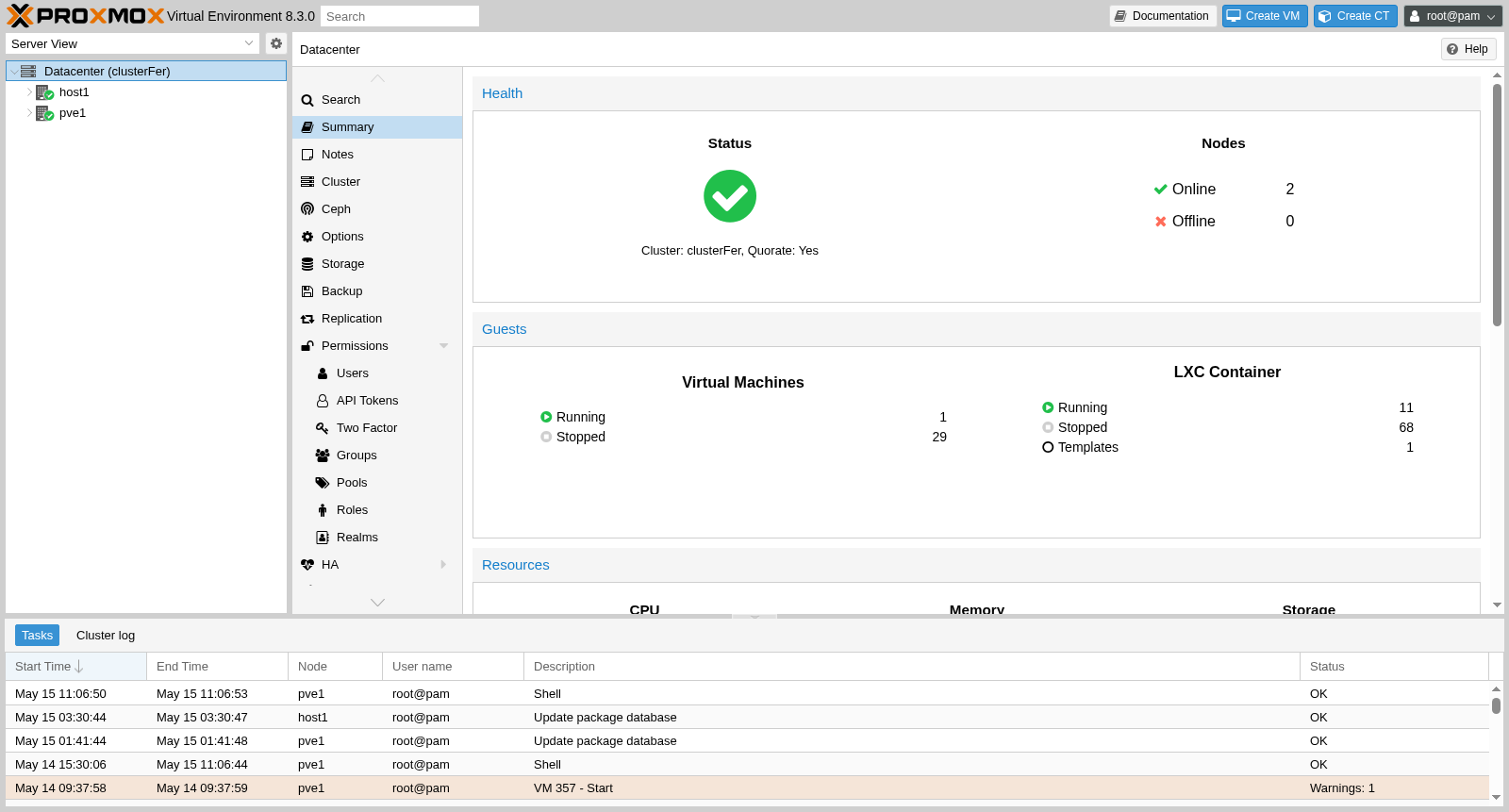
Our infrastructure: clusterFer + ipve1
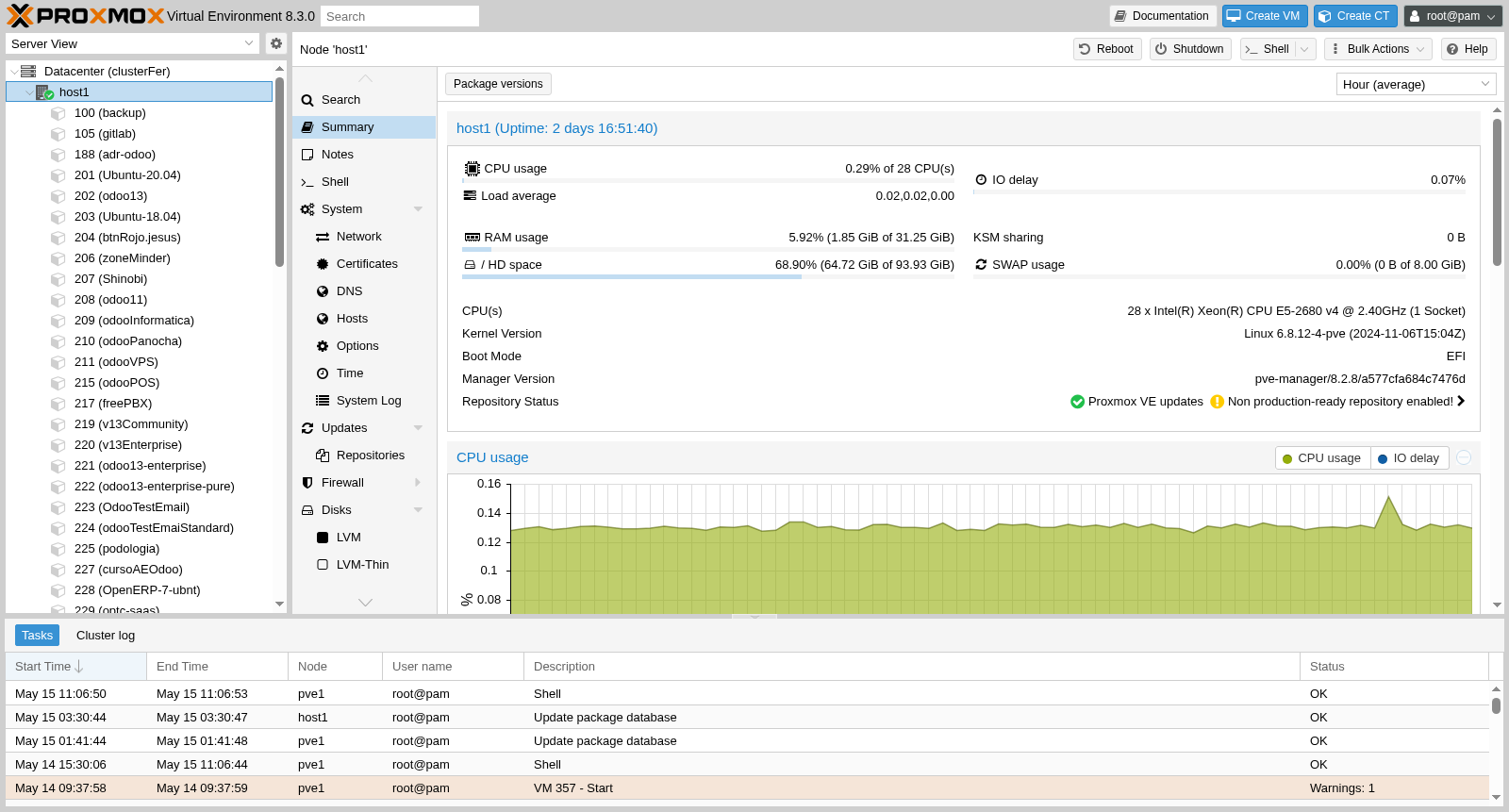
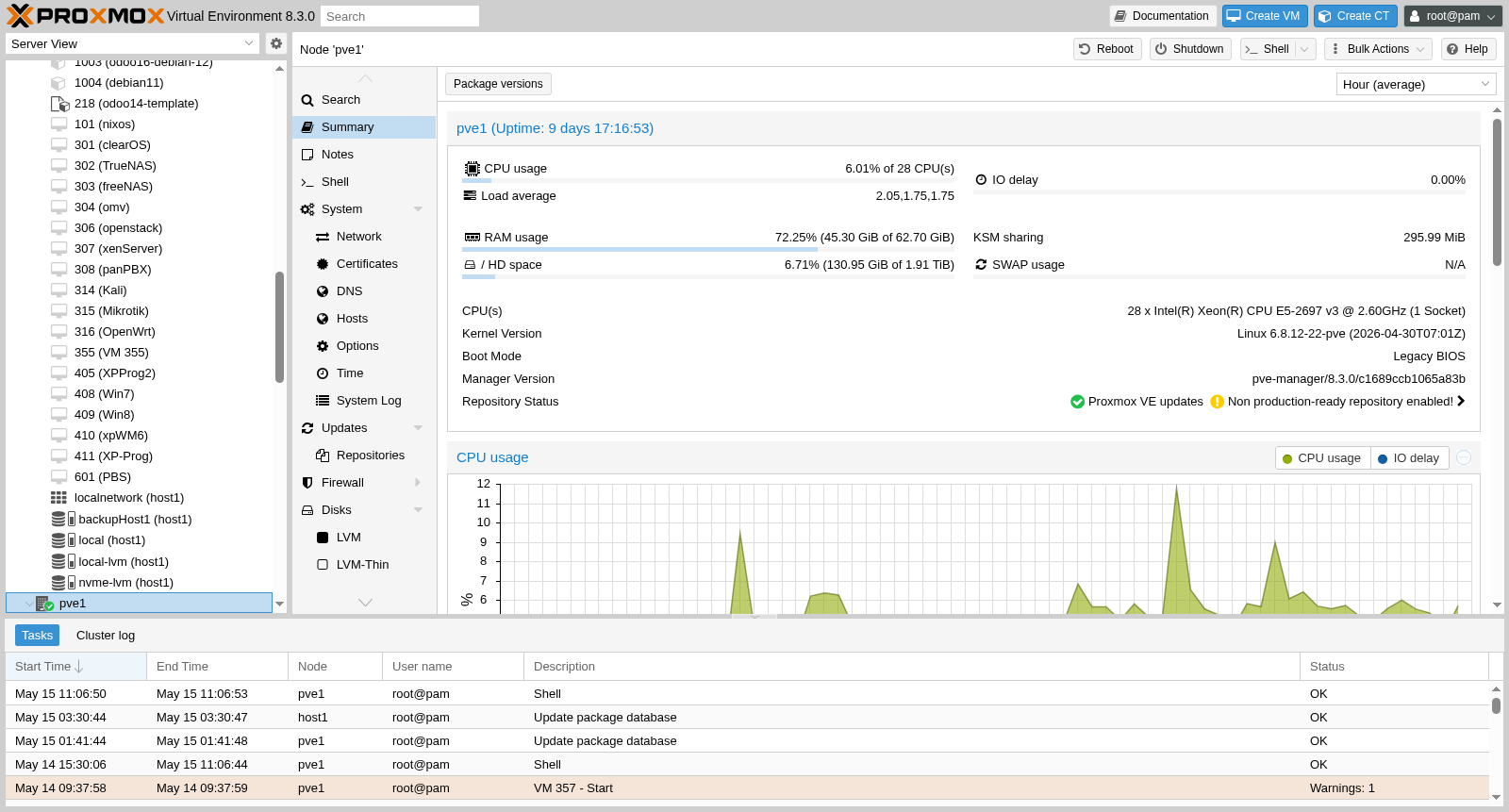
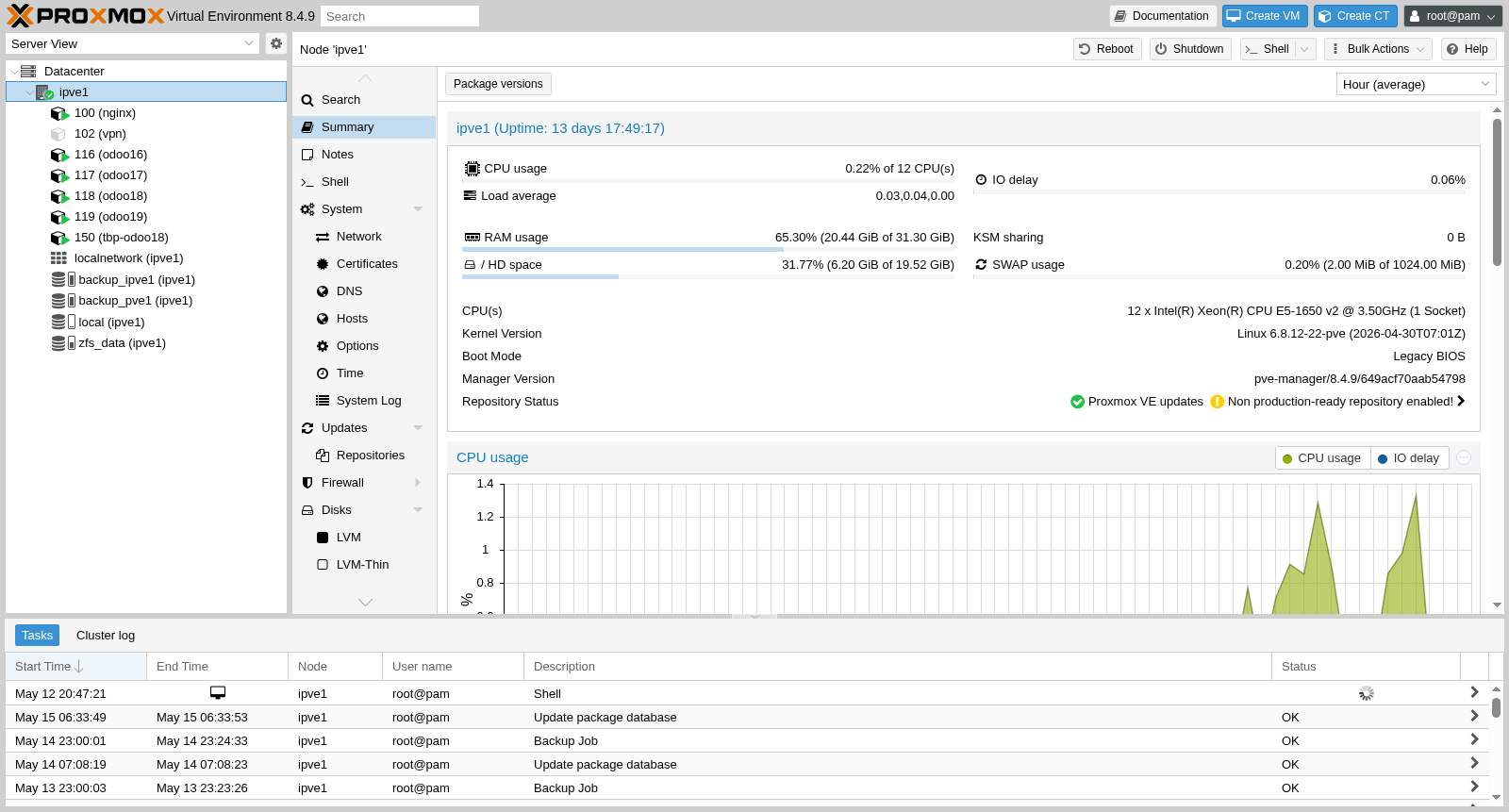
Two locations, three Proxmox hosts, one shared cloud. The screenshots below are taken straight from our live Proxmox web interface — not stock photos.
clusterFer — local datacenter (Murcia, Spain)
host1 — secondary node
pve1 — primary node
ipve1 — cloud node (OVH)
Benefits for your SME
License savings
VMware charges per socket and per feature. Proxmox is free even in production.
Server consolidation
A single physical server can run 10-20 independent services.
Automated backups
Scheduled backups with verification and restoration in minutes.
Scalability
Scale by adding nodes to the cluster without reconfiguring anything.
Want to virtualize your infrastructure?
We help you design and implement your Proxmox environment.
Request a quote