Intro
In the two previous posts I told you how AI operates my infrastructure and how to choose where to host your SMB's data. If you read them, you already know I have a dedicated box at OVH with Proxmox, LXC containers and an agent that connects over SSH. What was left to tell is the piece that connects all of that with a running Odoo: the deployment engine.
If you rent an empty dedicated box or a VPS at OVH, you have hardware but you don't have Odoo. You're missing Docker, Postgres, nginx, OCA, l10n_es, verticals, translations, SSL certificates. Doing that by hand every time is an entire afternoon. And if you onboard 3 clients a month, that's a whole afternoon wasted every week.
That's why oci_management exists. It's a module inside my Odoo that describes a deployment in a form and runs it with Claude behind the scenes.
S1. Improving oci_management using AI
This is how I work with AI to improve my modules. I opened a task in my internal Odoo and wrote this:
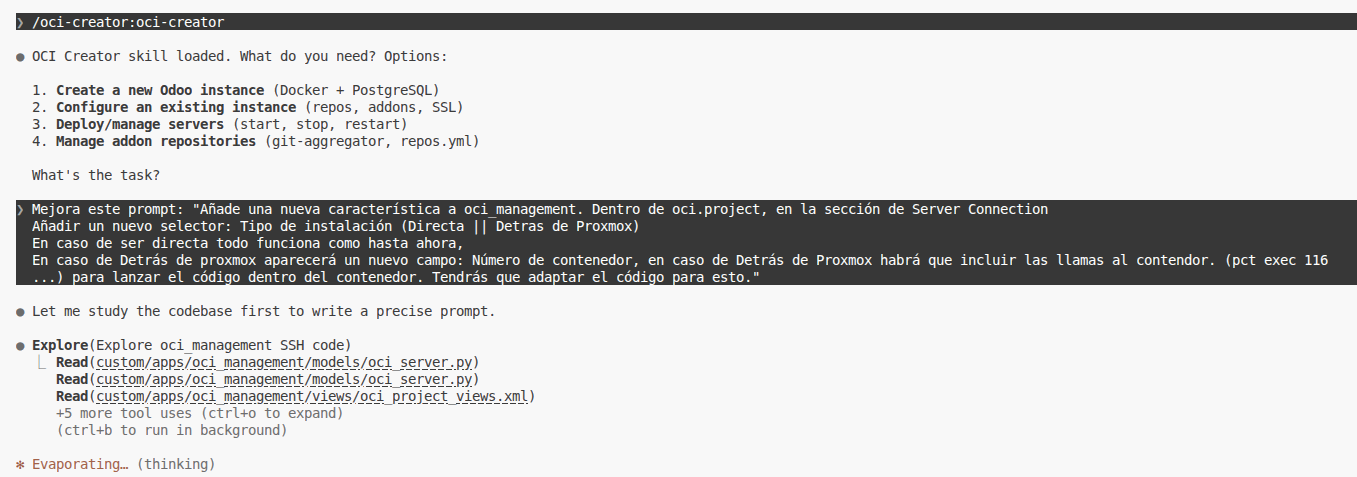
Improve this prompt: "Add a new feature to oci_management. Inside oci.project, in the Server Connection section, add a new selector: Install type (Direct || Behind Proxmox). If it's Direct, everything works as before. If it's Behind Proxmox, a new field appears: Container number, and in the Behind Proxmox case we need to include the calls into the container. (pct exec 116 ...) to launch the code inside the container. You'll need to adapt the code for this."
I had the concept clear: I wanted oci_management to support Proxmox deployment on top of direct deployment. What I needed was for Claude to understand the module and propose the exact changes. I opened the oci-creator skill and asked it to study the code and rewrite the request.
The answer was this:
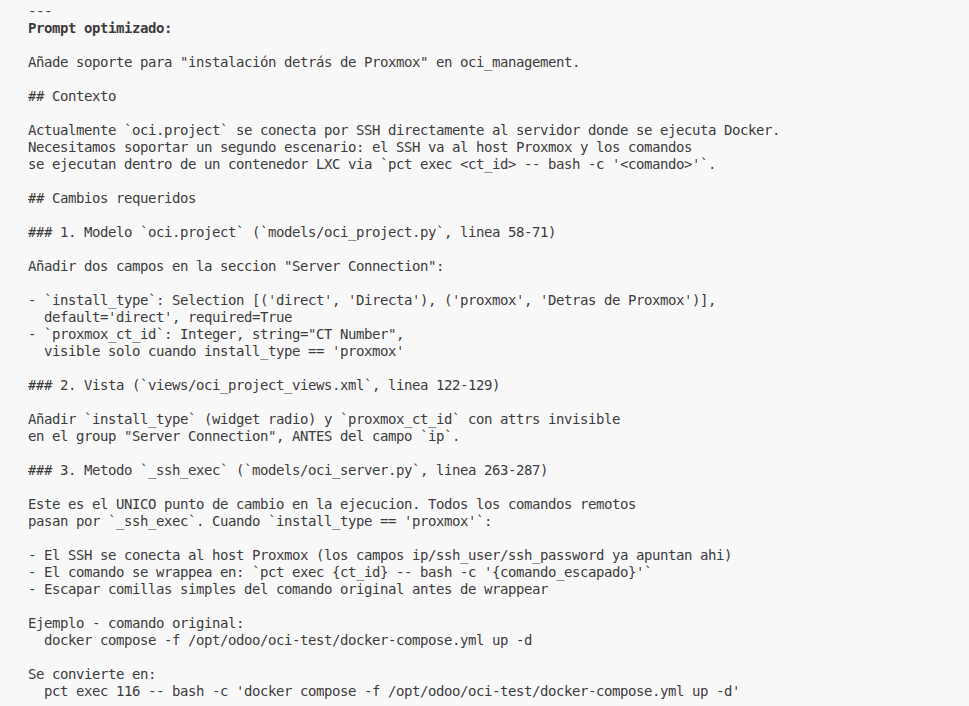
Claude gave me back a prompt with context, required changes field by field, model and view pinpointed, and _ssh_exec flagged as the single point where the command had to be wrapped in pct exec {ct_id} -- bash -c '...'. It even added the concrete example of converting the docker compose call to its wrapped version.
The second half closed with the constraints:
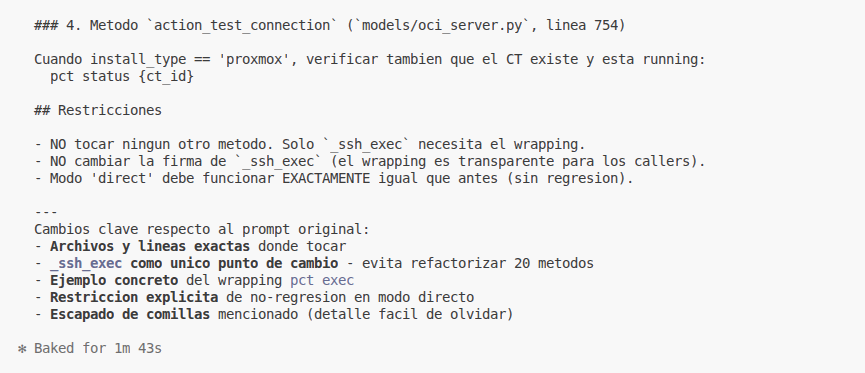
DO NOT touch any other method. Only
_ssh_execneeds the wrapping. DO NOT change the signature of_ssh_exec(the wrapping is transparent to callers). 'Direct' mode must work EXACTLY as before (no regression).
That block is what turns a prompt into a spec: exact files and lines, a single change point, no regression in direct mode, and even the reminder to escape quotes. Once it was applied, I asked Claude to persist what it had learned into my memories, the skill and Obsidian:
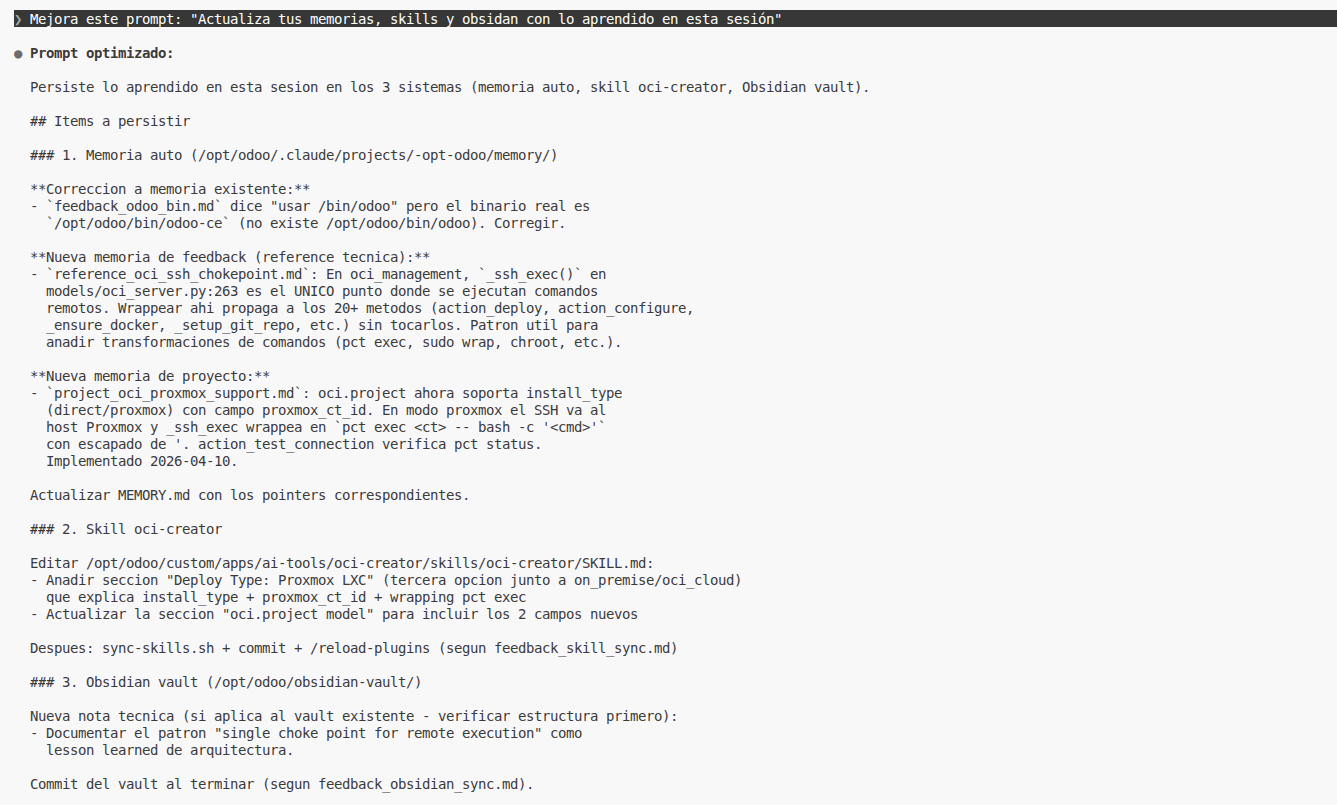
Improve this prompt: "Update your memories, skills and obsidian with what you learned in this session".
Out of that conversation came oci_management with Proxmox support. Keep reading and I'll tell you how it works.
S2. What oci_management does in one sentence
The idea is simple: instead of opening a console and configuring Docker, Postgres, nginx, OCA and l10n_es by hand, I open a form in my Odoo and describe the deployment.
In that form (the model is called oci.project) I put the basics: the client, the Odoo version, the verticals I want (hospitality, services, e-commerce...), the target host with its SSH credentials and the install type. Nothing else. Inside the project I hook one or more servers (oci.server), which are the actual instances that will run: develop, staging, production. Each server has its own domain, its database, its workers and its deploy mode.
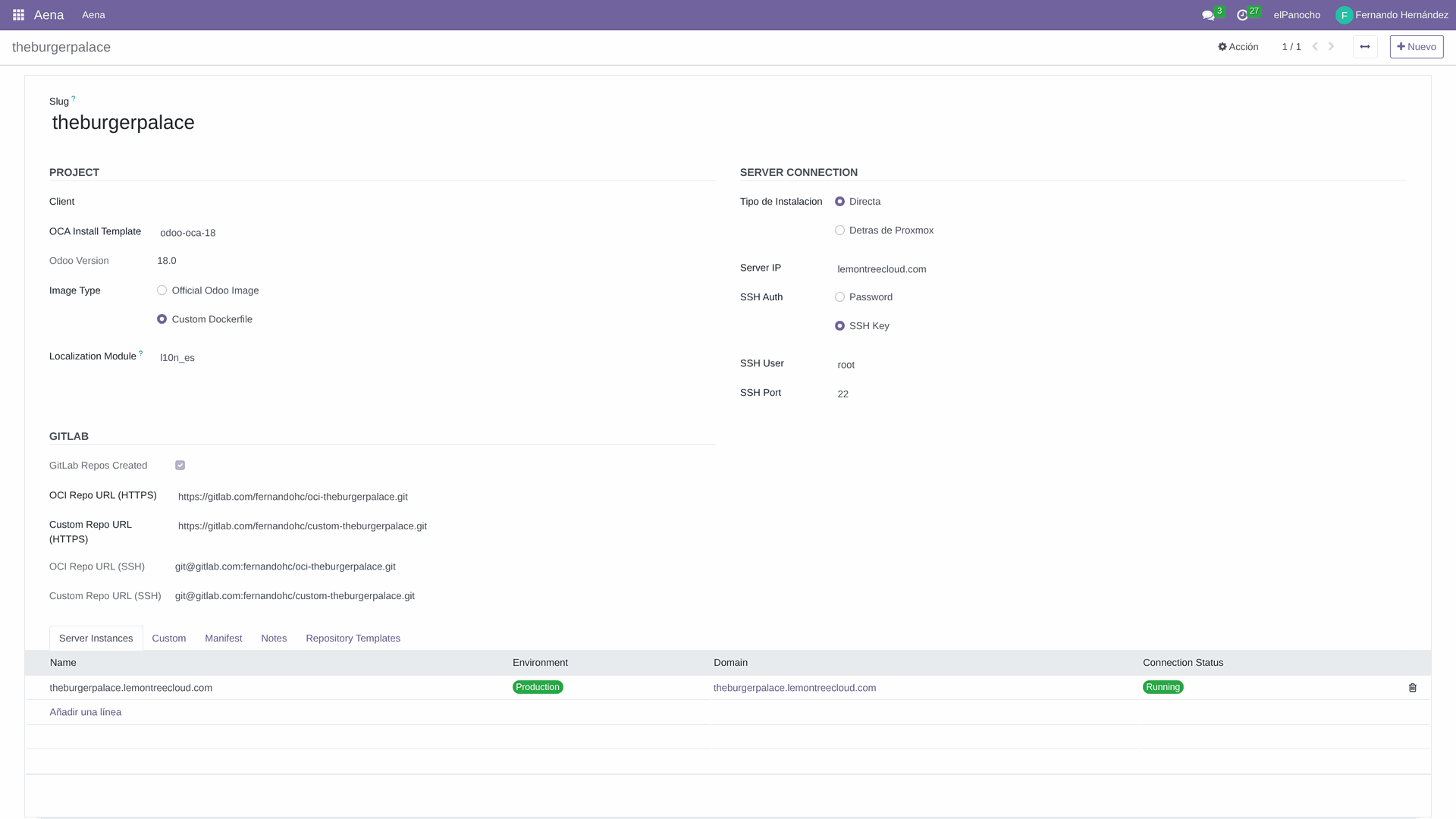
When I press the button, Claude with the oci-creator skill connects over SSH to the target host, provisions the LXC container if needed, brings Docker up, resolves OCA dependencies recursively (the transitive ones too, which are the ones everyone forgets), initializes the database with l10n_es from the start, applies the checklist we use in production (EUR instead of USD, kg instead of units, allergens, Spanish translations, debranding) and publishes the custom repo on GitLab with its manifest generated from the verticals.
And I go grab a coffee.
And I go grab a coffee.
S3. The two ways to deploy (today)
Here it's worth separating two decisions that look like the same one but aren't:
- Where the SSH runs is decided by
oci.project.install_type(Direct or Behind Proxmox). In Direct, Claude opens an SSH session against the host and runs there. In Behind Proxmox, the same SSH session connects to the Proxmox node and each command is wrapped aspct exec {ct_id} -- bash -c '...'so it runs inside the LXC. That's the piece that came out of the task at the beginning.
- What gets brought up on the target is decided by
oci.server.deploy_typeand it has two modes:
- Full Stack (Nginx + Odoo + DB). Full deployment: nginx, Odoo and Postgres live together, orchestrated by Docker Compose. I use it when I want an Odoo on my own network, with its own nginx, SSL via Let's Encrypt and everything inside the same logical container. The module includes an action to request the certificate with Certbot once the domain points to the server.
- Odoo + DB Only (External Proxy). No internal nginx: just Odoo and Postgres. I use it when the public front is already handled by a shared nginx (for example my CT-100, which proxies several clients) and I just want the Odoo behind it, lightweight and without duplicating SSL.
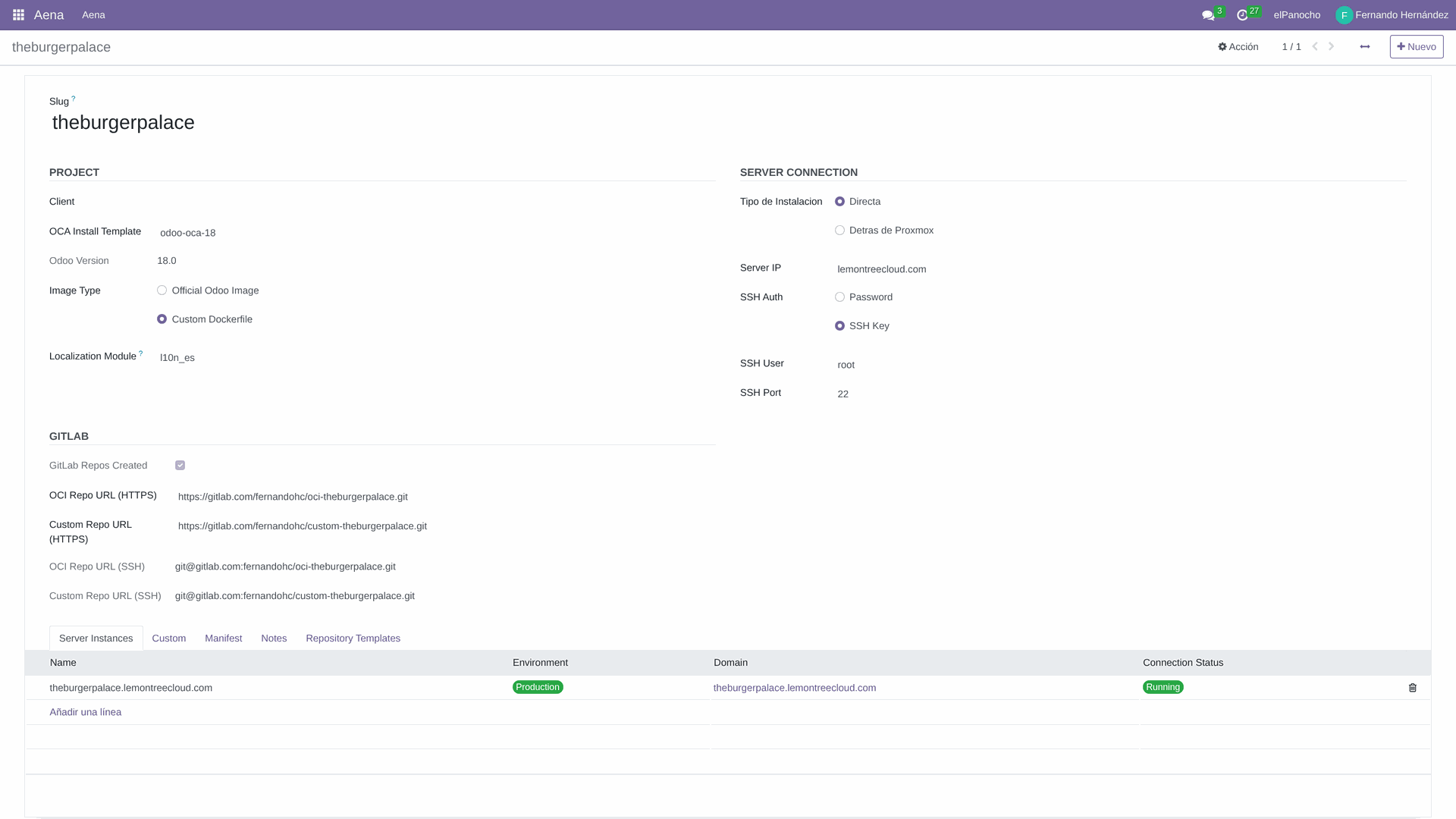
The two dimensions are orthogonal: I can have a Full Stack directly on a VPS, or an Odoo + DB Only behind Proxmox wrapped in pct exec. That covers almost everything I see day to day.
Baremetal is not done here. For baremetal (Odoo installed directly on the system, without Docker) I use oca_management, which is the sibling module. In fact, oci_management itself pulls from an install template (oca.install.template) generated precisely by oca_management: the list of OCA repos, the branches, the Python dependencies. It's hard to separate them: one provides the catalog, the other packages it in Docker.
And what's coming next: I'm starting to take oci_management to deploy on a Kubernetes cluster, for clients who already have that infrastructure. When it's mature I'll come back and tell you about it.
S4. TheBurgerPalace: a real deploy
So it doesn't stay theoretical, this module just delivered a real client: TheBurgerPalace (TBP), a hospitality business with POS. Odoo 18 CE on CT-150 at ipve1, 239 modules installed, es_pymes chart of accounts, EUR, l10n_es from the first init. install_type = Behind Proxmox (because the host is a Proxmox with several LXCs), deploy_type = Odoo + DB Only (because the public nginx lives at CT-100 and reverse-proxies for all clients).
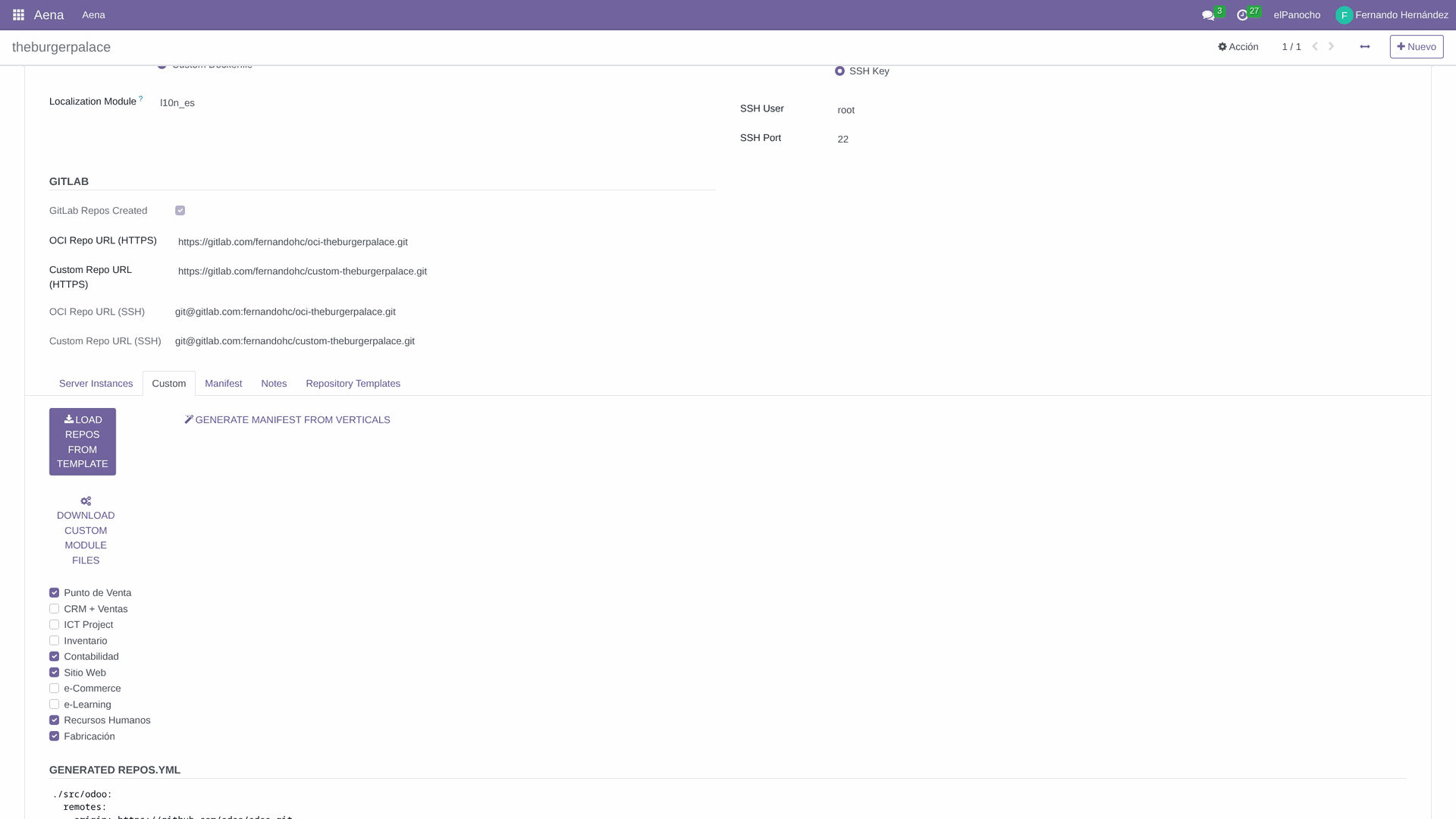
In the TBP project, the three buttons you see at the top are the ones that drive the orchestration. LOAD REPOS FROM TEMPLATE reads the oca_management template and loads the OCA repos that correspond to the chosen version and verticals. GENERATE MANIFEST FROM VERTICALS builds the manifest of the custom bundle module from the verticals (hospitality + POS + allergens, in this case). DOWNLOAD CUSTOM MODULE FILES packages the custom repo and pushes it to GitLab. Chained together, the three leave the code tree ready for the Docker build.
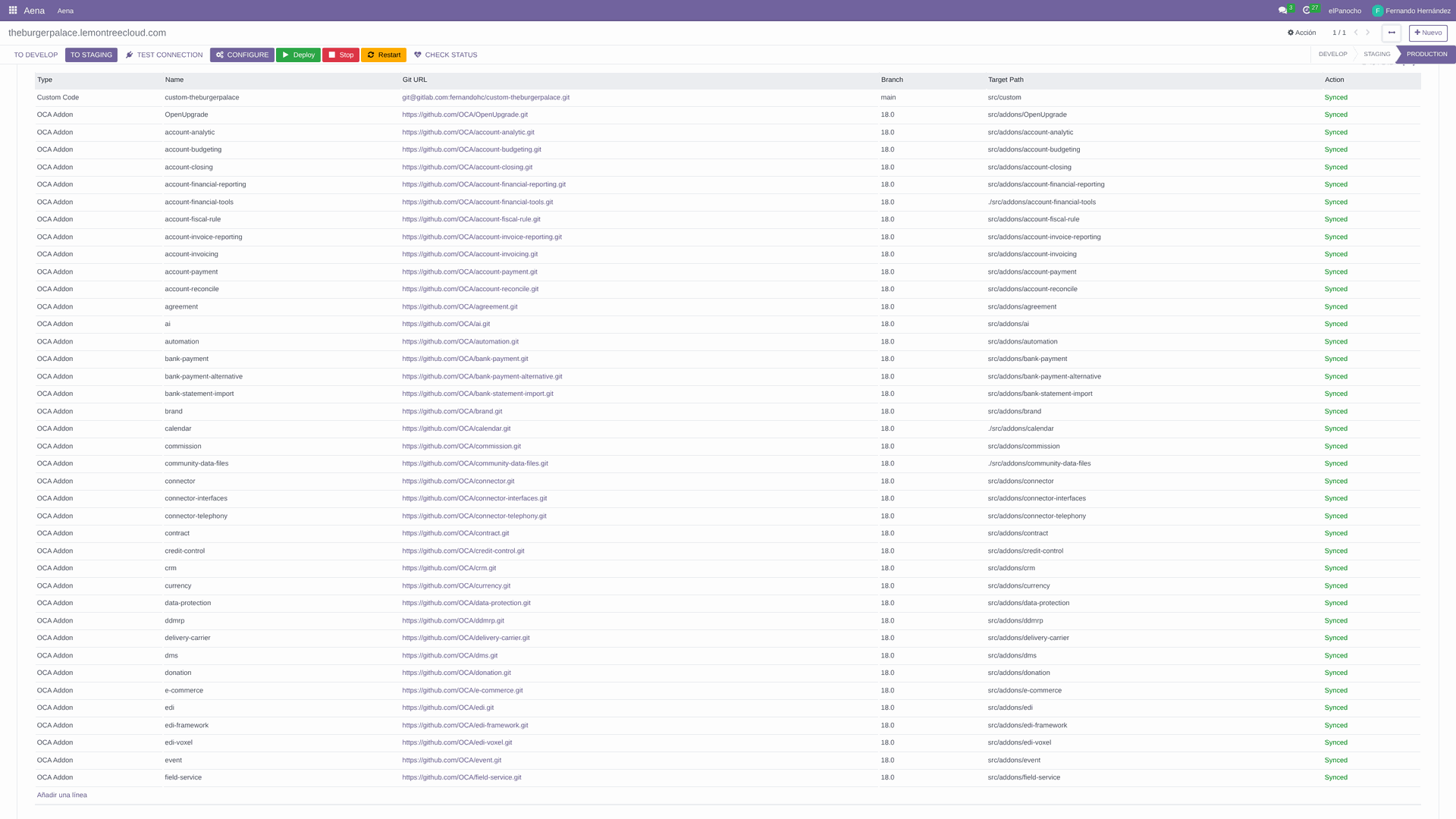
In the Server Instances tab of the project you can see the provisioned OCA repos. For TBP they ended up being on the order of 140 repos: not because I picked 140 by hand, but because the verticals pick a handful and the rest come down through recursive dependency resolution. Each OCA repo depends on other OCA repos, and the tree unrolls itself until it closes; if you stop at the first level you leave the transitive ones out and the build cascades into missing modules. That was one of the memories that cost blood.
And in the end, Odoo 18 running at theburgerpalace.lemontreecloud.com. The screenshot is the landing still without debranding (that's due in the next phase), but it's a live Odoo with users, POS, kitchen and a digital menu with QR.
I've learned by breaking things: privileged LXC so overlay2 works, l10n_es from the first init because you can't change the chart of accounts afterwards, initialize with --workers=0 --no-http to avoid races with the entrypoint, and prepare addon_requirements.txt before the build. All of that is codified as memories in Claude; I don't step on them again.
One afternoon for a full Odoo. And I'll do the same for the next client.
Closing: what's left to tell
oci_management solves the Docker deployment: containers, compose, OCA, translations, SSL. But it doesn't work alone. Behind every vertical, every list of repos and every dependency resolution there's another module that holds the catalog: oca_management. It's the one that knows which OCA repos exist for each version, what dependencies each one has, and how to assemble a clean install template.
If oci_management is the deployment engine, oca_management is the road map. Without the map, the engine doesn't know where to go. That'll be the next post in the series.
And if what you're after isn't setting it up yourself but having someone put it in motion for you, write. What you've seen in these three posts is what I do every day: evaluate the infra, pick the provider, and deploy Odoo on top. One conversation and I'll tell you if it fits.