In the previous post I described how oci_management deploys a full Odoo from a single form. But there is an earlier piece: before you can deploy, you need to know which modules exist, in which version, and how to package them. That is the job of oca_management. And that is where it all started.
This module was born out of a very specific frustration: wasting time hunting for addons on GitHub every time I kicked off a new project. What began as an internal utility ended up becoming the foundation on top of which oci_management and server_management were built. Today I close the series by telling the story of the first piece of the puzzle.
The problem: finding needles in a haystack of 140 repos
The OCA (Odoo Community Association) maintains more than 140 repositories on GitHub. Inside those repos live nearly 3,000 installable addons. Each repository has branches per Odoo version: 14.0, 15.0, 16.0, 17.0, 18.0, 19.0. And not every addon exists in every branch.
Before oca_management, if I needed to know whether sale_commission existed in Odoo 18, the process was manual: go to GitHub, find the repository (commission), switch to the 18.0 branch, check whether the addon was there, verify it was installable, review its dependencies. Repeat for every addon. With 50 addons per project, a full morning gone.
And it was not just searching. I also needed to know which dependencies each addon pulled in, whether there were conflicts between versions, and in the end produce a coherent repos.yml file for the installation. All of that by hand.
That happened to me every single time I started a new project. So I decided to solve it once and for all.
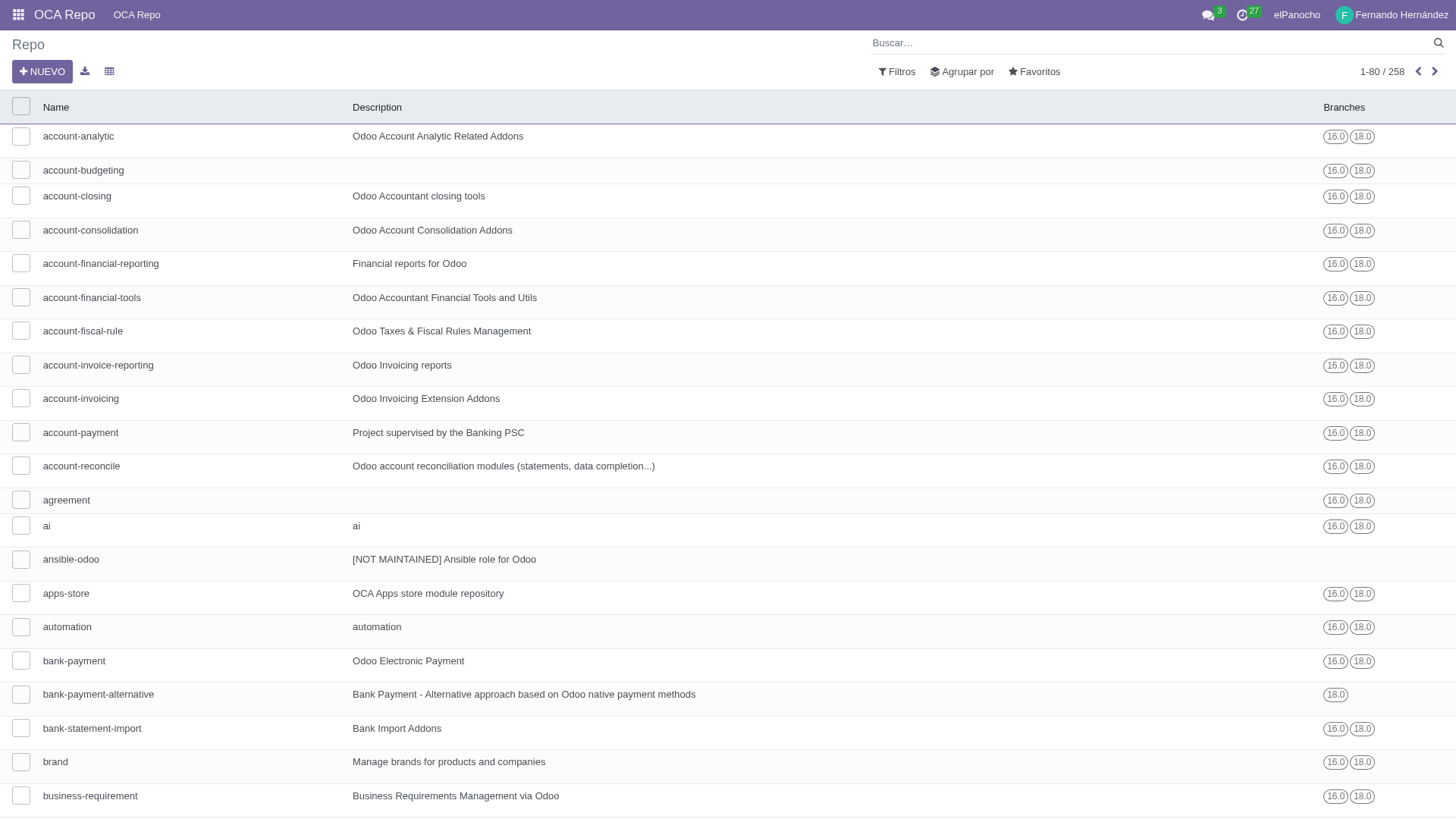
258 OCA repositories indexed in Odoo, with their branches and addons.
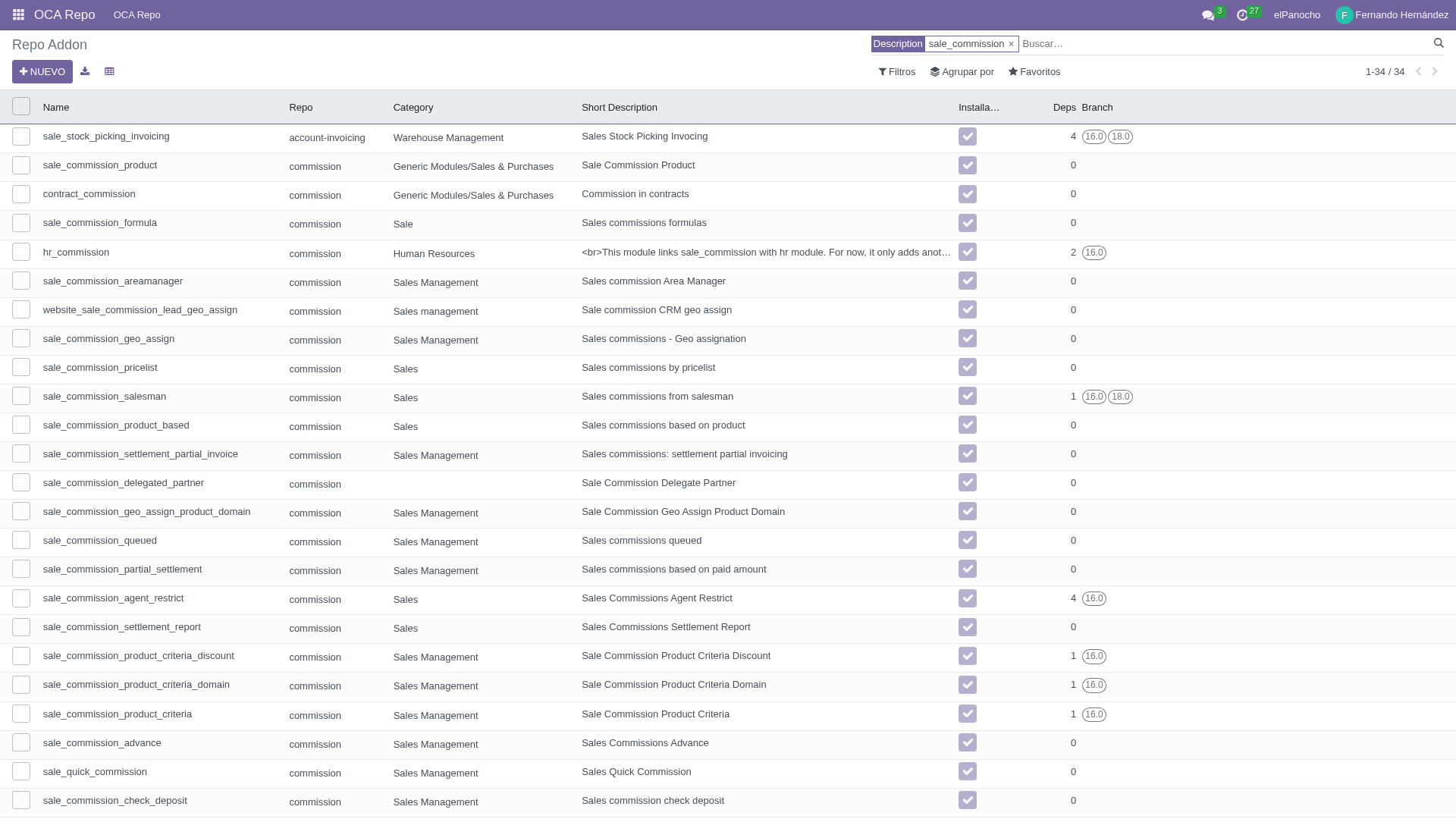
Looking up sale_commission among 7,544 addons. Filter by version, by repo, by dependencies.
What oca_management does
oca_management was built to solve that. You configure your GitHub account in Settings (username and token), pick the branches you care about, and hit sync. The module walks through every OCA repository via the GitHub API, clones each one on the active branches, and parses the __manifest__.py of every addon. In a little while you have the full catalog indexed inside Odoo: name, version, category, author, license, dependencies and the README.
From there, everything is search and filter. Need an accounting module for 16.0? Filter by branch and category. Want to see the dependencies before you commit? They are right there on the addon record. What used to take hours now takes seconds.
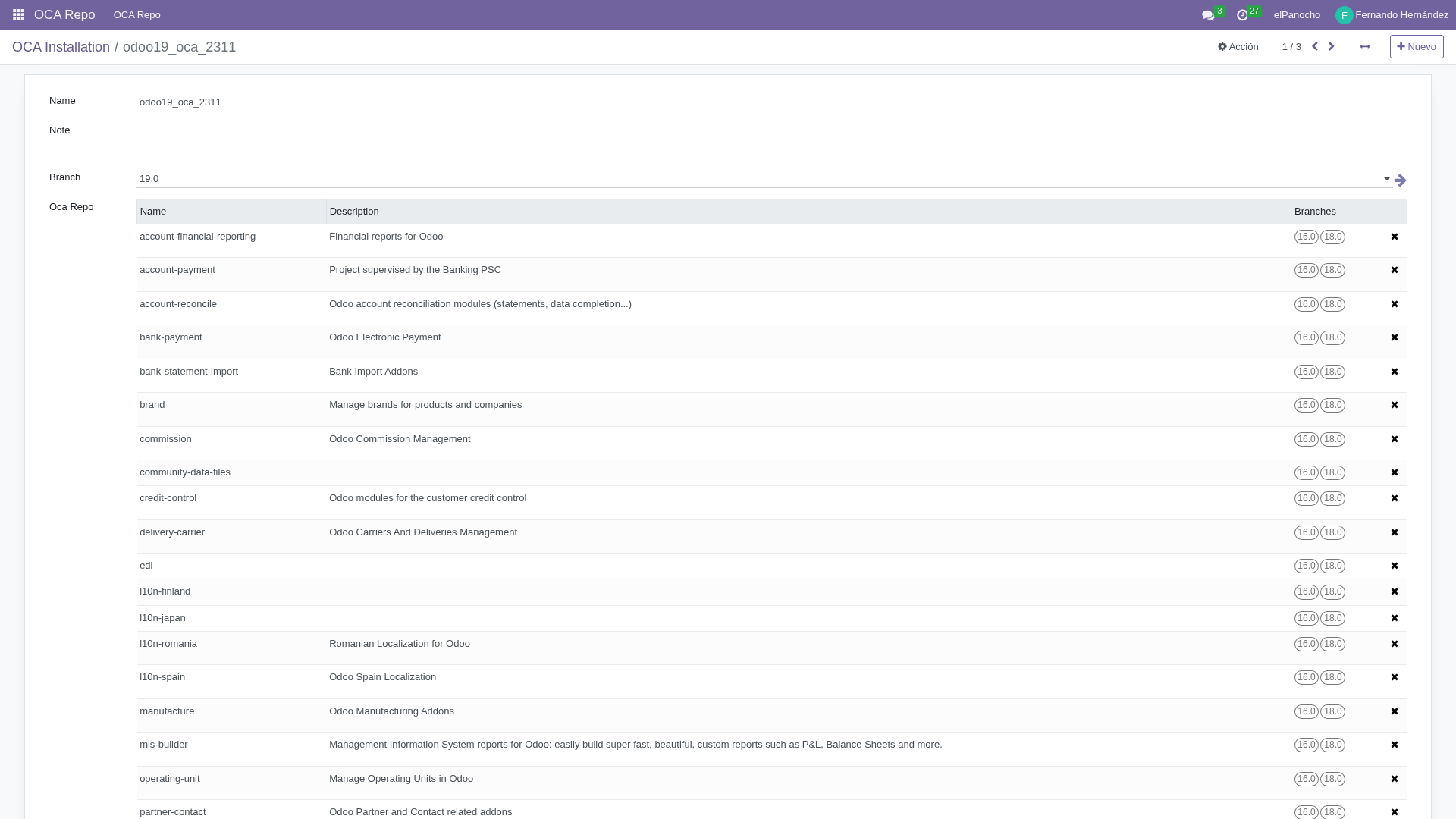
An installation template: pick the branch, the repos and the addons, and generate the repos.yml.
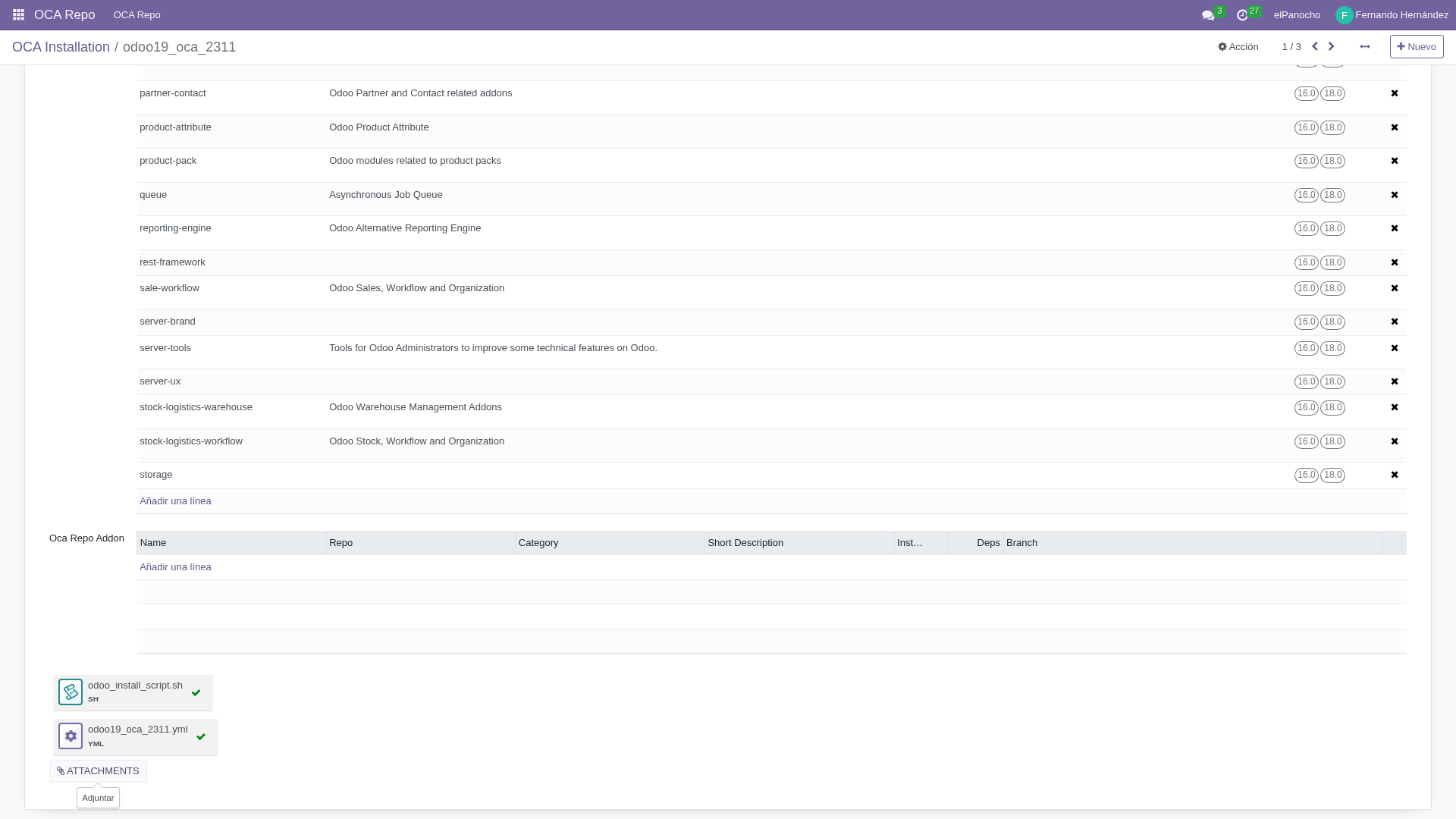
The generated repos.yml, ready for oci_management to consume.
server_management: Odoo without Docker
Having the catalog is useful, but the real value shows up when you connect that catalog with the installation process. oca_management does not stop at the query: it takes you all the way through to deployment.
repos.yml: the piece that links catalog and deployment
Once you know which addons your client needs, you select them in the addons view and fire up the installation wizard. Give it a name, pick a branch, and oca_management automatically produces two things: a repos.yml and an installation script.
The repos.yml is a YAML file listing every OCA repository you need, with its clone URL and the exact branch. It is the format used by git-aggregator, the standard tool in the Odoo ecosystem for managing multiple repositories. That file is precisely what oci_management needs to spin up a Docker deployment: without it, it has no idea which repos to fetch or on which branch. The result gets saved as a reusable installation template: build it once, apply it to as many servers as you like.
Native installation, no Docker
Not every company needs Docker. Sometimes a VPS with Odoo installed and nothing else is exactly what the customer needs. For those cases there is server_management.
You register a server in Odoo: IP, SSH user, password, port. server_management connects over SSH, verifies the connection, and shows you disk status and uptime. When you want to install, you pick the server, choose an oca_management template, and launch the wizard. The module uploads the repos.yml over SFTP together with the installation script and runs it remotely.
That script performs a full install: it updates packages, installs PostgreSQL, downloads Odoo from nightly, runs git-aggregator against the repos.yml to pull in the OCA addons, configures systemd, creates the database, and optionally sets up nginx with SSL. Fully automated, no Docker in sight.
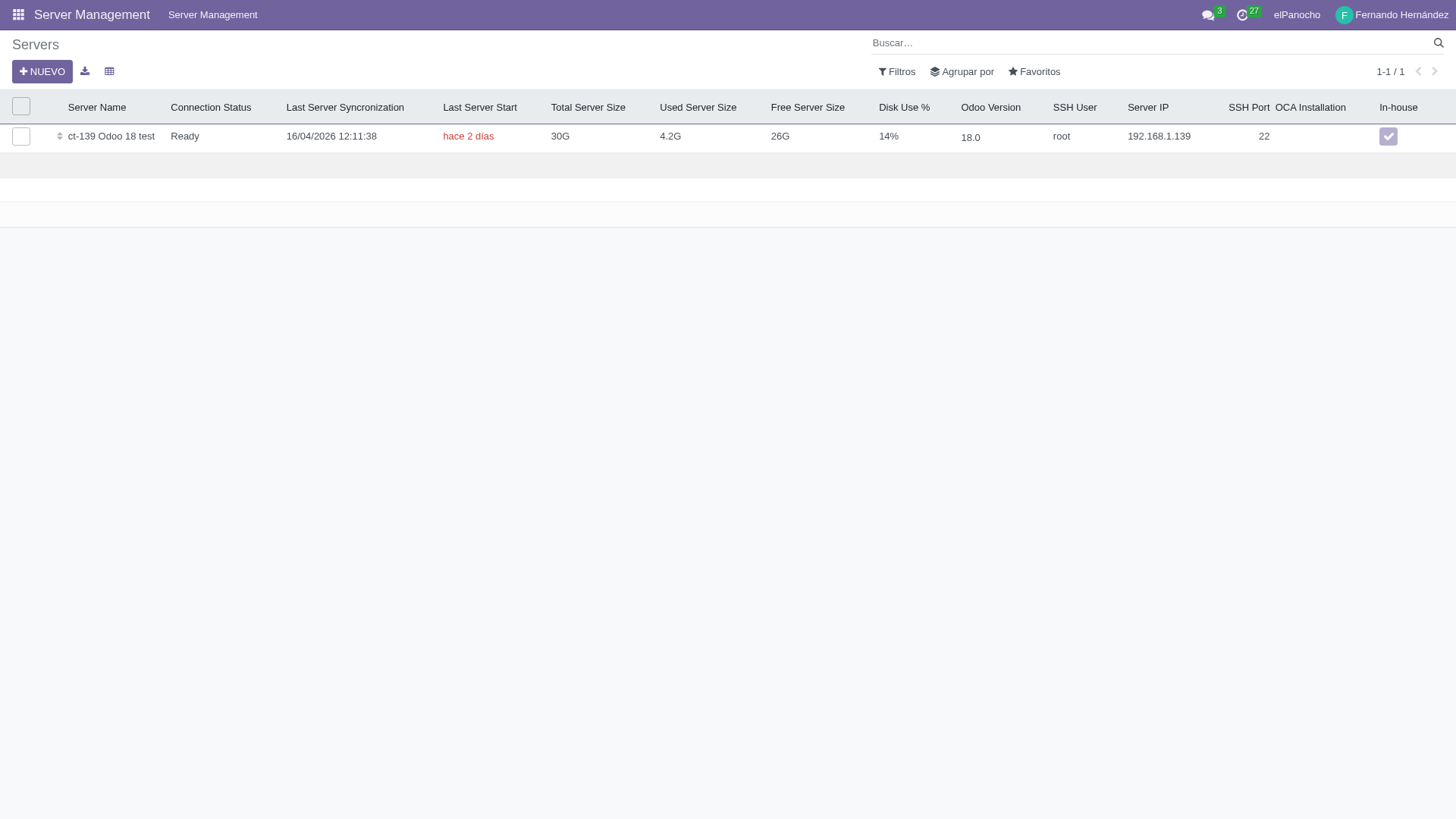
Registered servers: ct-139, test Odoo 18.
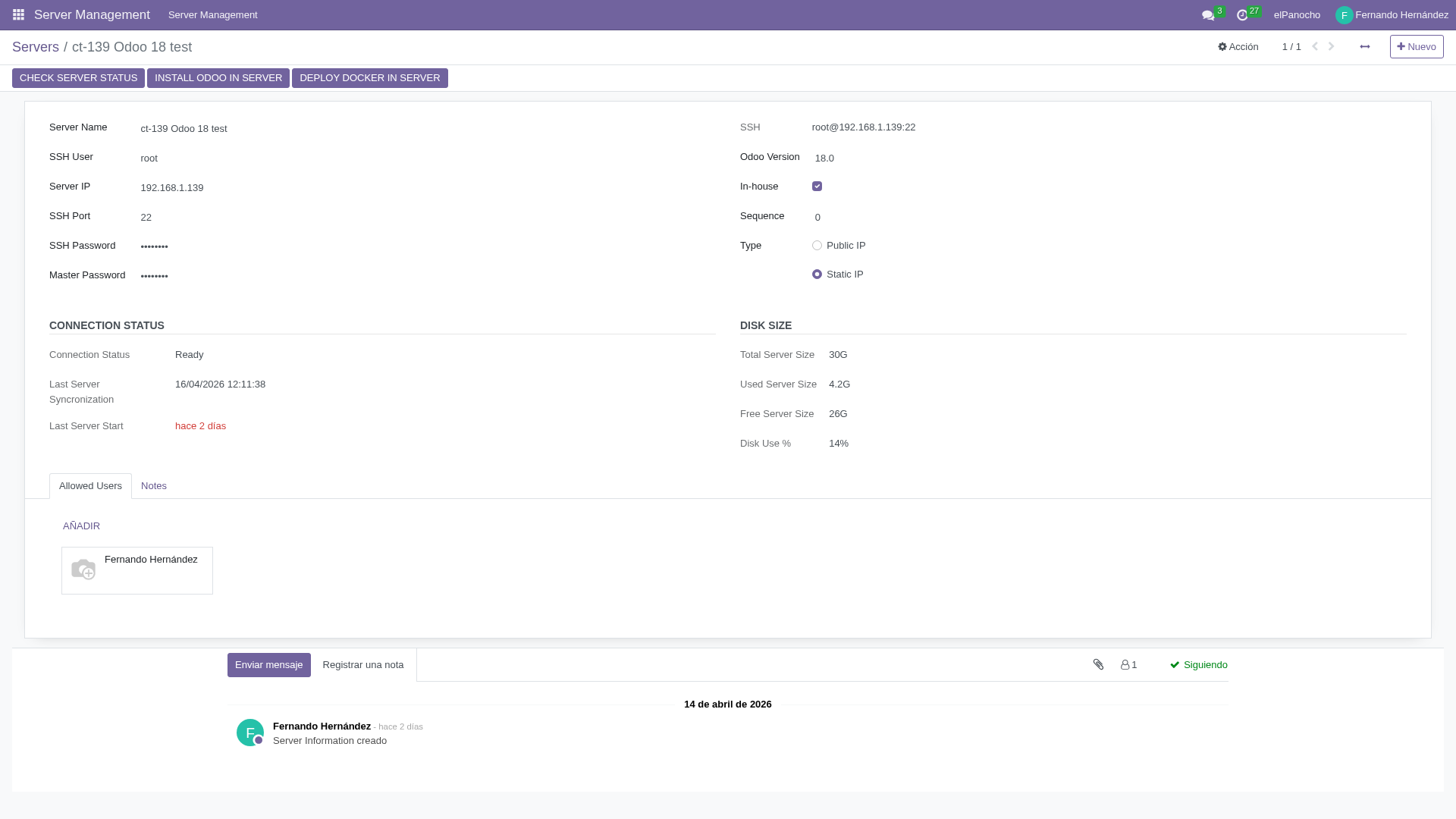
Server details: IP, SSH, status, disk.
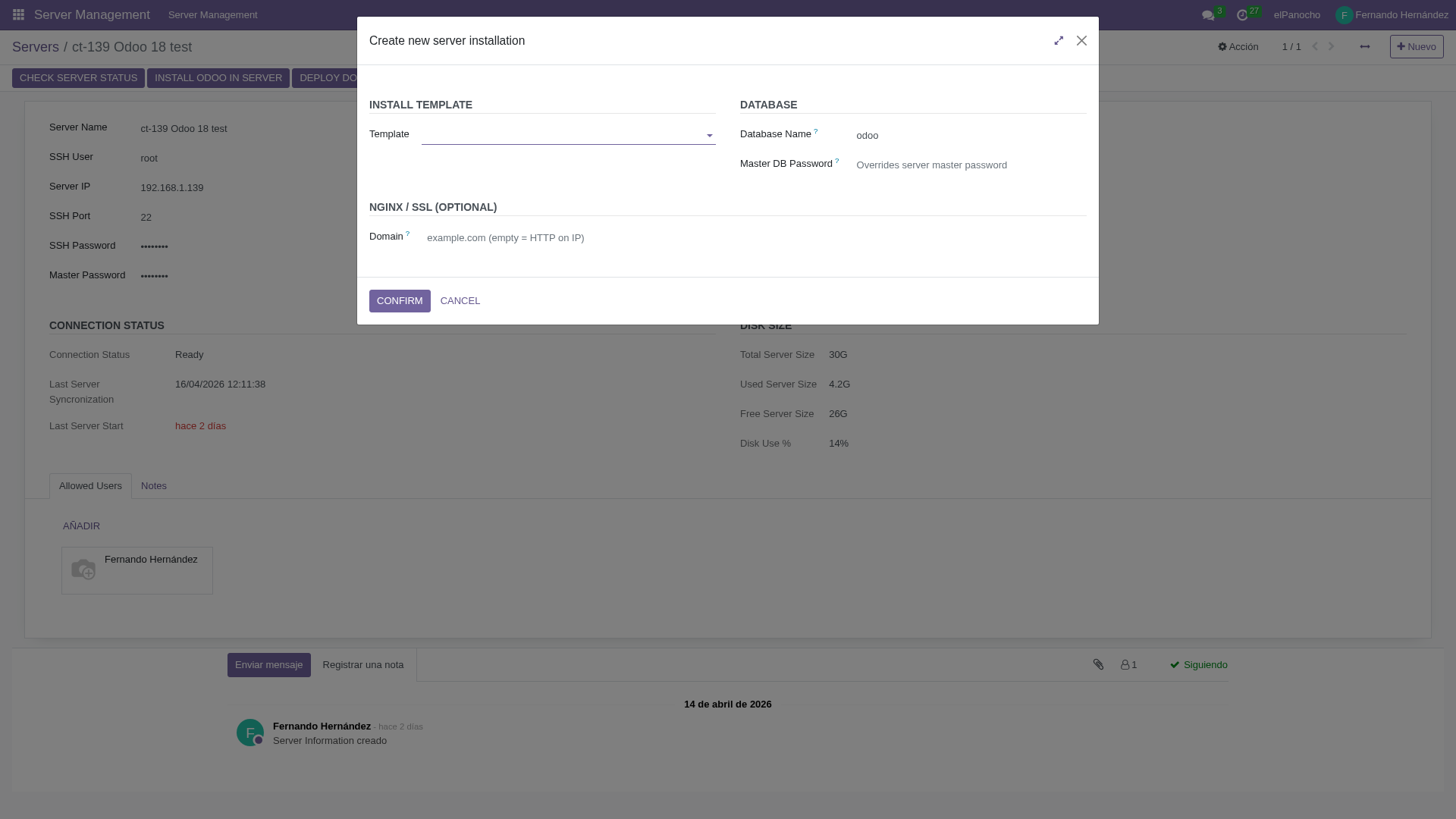
Installation wizard: pick the template, the database name, domain and certificate.
The full map
Four posts, three modules, one flow:
- oca_management indexes the OCA repositories, lets you search and filter addons by version, and generates the
repos.ymltogether with the installation templates. - oci_management consumes that
repos.ymland deploys a full Odoo in Docker, either on_premise (with nginx and SSL) or in the cloud (behind an external proxy). - server_management consumes the same
repos.ymland deploys Odoo natively, no Docker: straight onto a VPS with systemd, PostgreSQL and nginx. - Everything runs through AI (Claude + skills) from a single Odoo. No tool switching, no open terminals, no loose scripts.
That is what sits behind LTC Labs. Four posts, three modules, and one goal: turning "stand up an Odoo" from a project into a sentence.
This was the first module I built. What began as an internal utility to stop hunting through GitHub ended up being the foundation for everything else.
If any of this sounds useful, my email is at the bottom. If not, at least now you know the category exists.
If you just landed here, start with the first post: that is the entry point to the whole series.