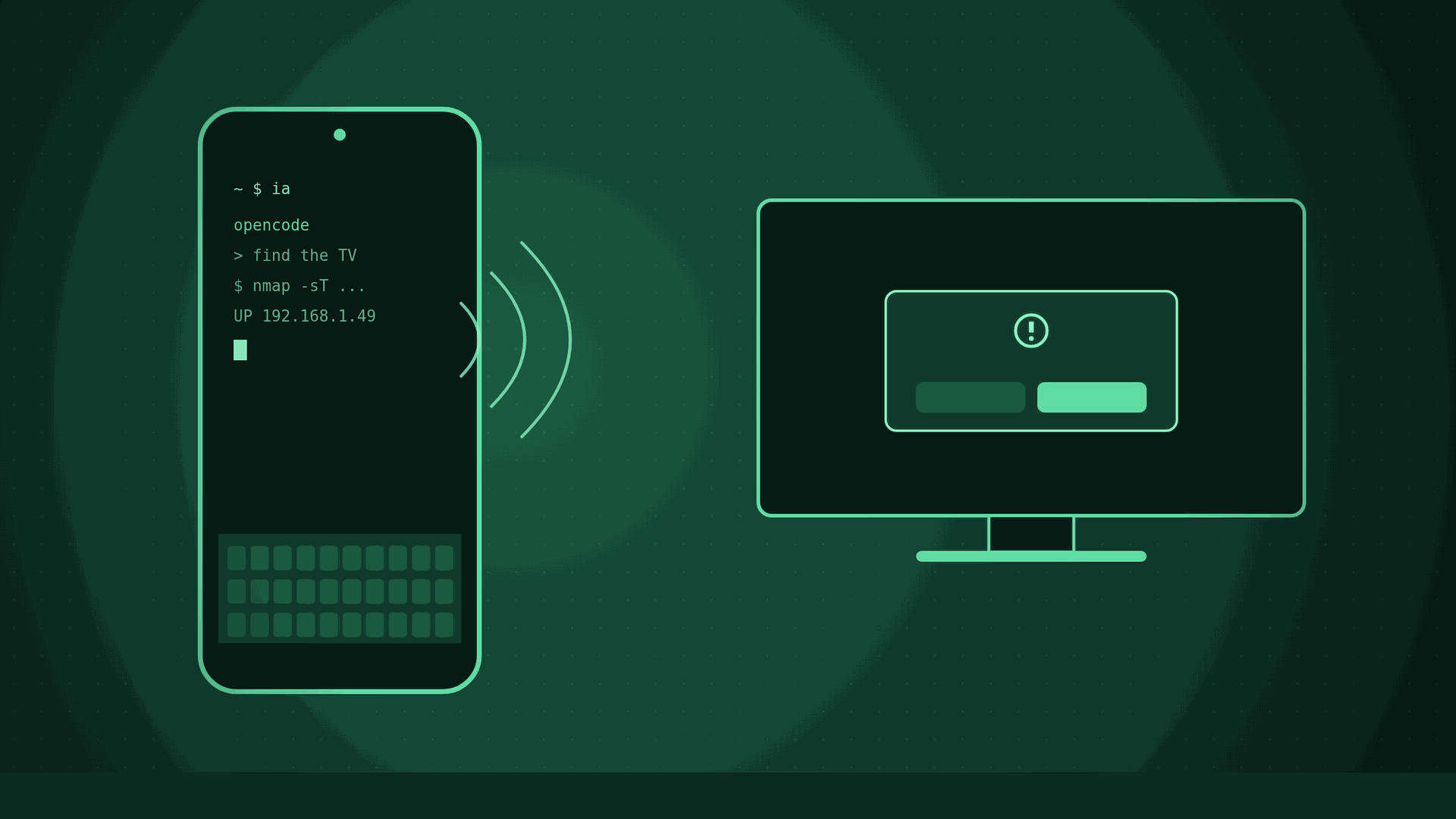
A few days ago my Xiaomi TV refused to install an app: "not enough memory". I found that odd, so I asked the agent living in my phone to take a look.
This is Part 2. Part 1 explains why an Android phone can run an AI agent and how we installed opencode inside Termux and a Debian container. Here the agent gets a real task on a real home network, with a free model, and I show what it did, step by step, with the screenshots I took and the exact times stored in its session database.
Read Part 1: installing opencode on Android
First, how we got the data out of the phone
To write this post I did not copy anything by hand. A second agent, Claude Code, running on our home server, connected to the phone and read the opencode session directly from its database. This is the chain it used:
Claude Code (home server)
  -> ssh to the laptop (Ubuntu)
    -> USB cable + adb forward tcp:19001 tcp:9001
      -> termServer.py inside Termux (127.0.0.1:9001)
        -> Termux bash -> proot-distro Debian
          -> sqlite3 opencode.db (read-only)
Why adb alone is not enough. adb shell exists, but it runs as the shell user, outside Termux. MIUI blocks adb shell input unless you enable an extra "USB debugging (Security settings)" switch, and Termux is not a debuggable app, so run-as com.termux fails. adb can reach the phone, but not the inside of Termux's sandbox.
termServer.py. The Acode Terminal plugin ships a small server (Starlette on Uvicorn, 329 lines) that runs inside Termux and listens on 127.0.0.1:9001. It exposes two websocket endpoints: /execute?cmd=... runs one command in Termux's bash and returns {"code": ..., "stdout": ...}, and /terminal/<id> opens an interactive terminal. It only listens on localhost, so somebody has to start it by hand:
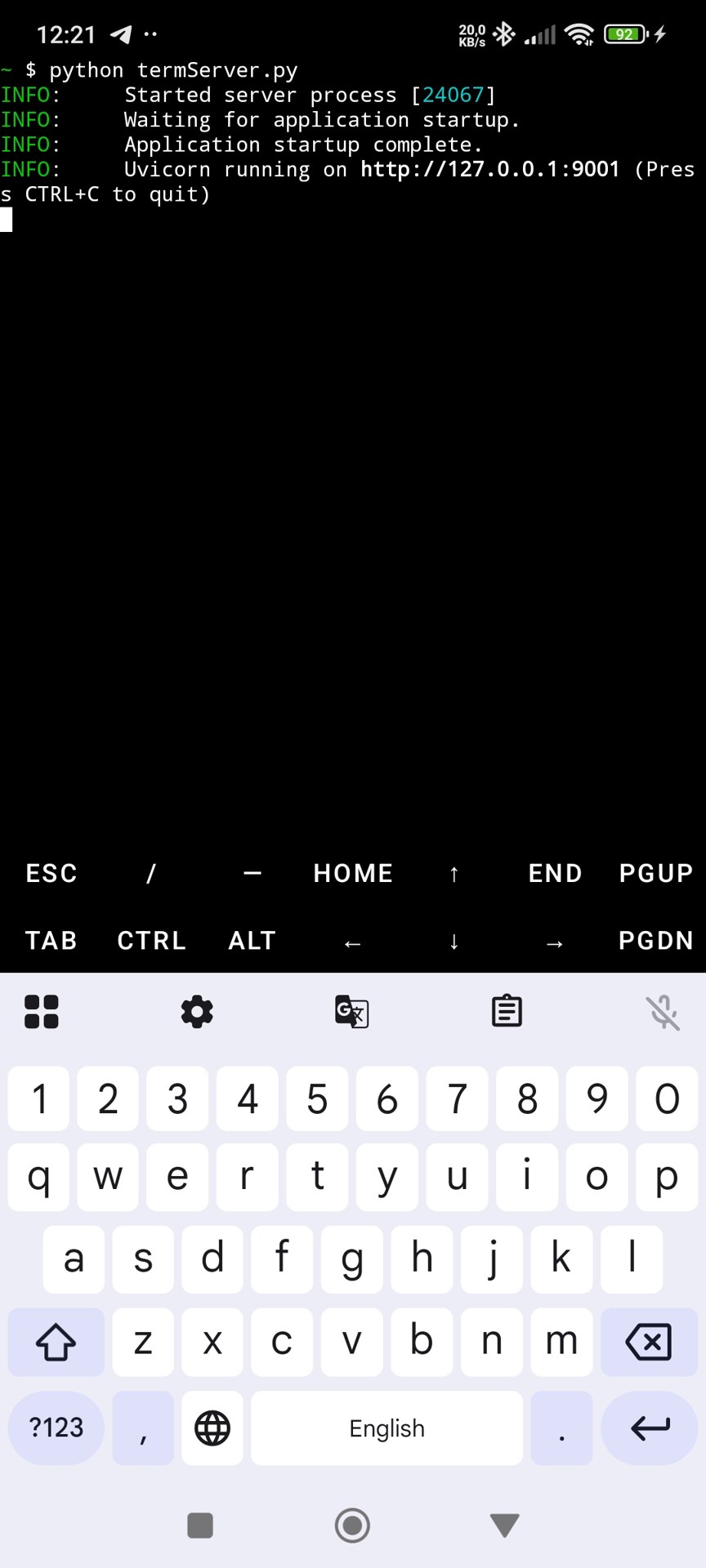
adb forward. With the phone plugged into the laptop, adb forward tcp:19001 tcp:9001 maps port 9001 on the phone to port 19001 on the laptop, through the cable. A real-life detail: the forward disappears whenever the adb server restarts, so every call sets it up again.
termux_ws_exec.py. On the laptop side there is no websocket library, so we wrote a client with the Python standard library only. The pieces worth understanding:
ws_connectperforms the HTTP Upgrade handshake by hand: a randomSec-WebSocket-Key, and it only goes on if the server answers101.ws_send_textbuilds masked frames, which the protocol requires from client to server.ws_readparses frames with 7, 16 or 64-bit lengths.execb64mode receives the command in base64, so quotes, dollar signs and line breaks survive the trip through ssh and a URL untouched.- A bug worth telling: when the phone closed the socket,
recv()returned an empty string and the read loop spun at 100 % CPU. One copy ran like that for 8 days on the laptop before we noticed. The fix is two lines: treat an empty read as a closed connection.
Show the full termux_ws_exec.py (about 160 lines)
# termux_ws_exec.py - one-shot websocket client for termServer.py (Acode Terminal)
# usage: python3 termux_ws_exec.py exec|execb64|shell|send <cmd> [port]
import base64
import json
import os
import socket
import struct
import sys
import urllib.parse


def ws_connect(host, port, path):
    s = socket.create_connection((host, port), timeout=20)
    key = base64.b64encode(os.urandom(16)).decode()
    req = (
        f"GET {path} HTTP/1.1\r\n"
        f"Host: {host}:{port}\r\n"
        "Upgrade: websocket\r\n"
        "Connection: Upgrade\r\n"
        f"Sec-WebSocket-Key: {key}\r\n"
        "Sec-WebSocket-Version: 13\r\n\r\n"
    )
    s.sendall(req.encode())
    buf = b""
    while b"\r\n\r\n" not in buf:
        chunk = s.recv(4096)
        if not chunk:
            raise RuntimeError("closed during handshake")
        buf += chunk
    head, rest = buf.split(b"\r\n\r\n", 1)
    if b" 101 " not in head.split(b"\r\n")[0] + b" ":
        raise RuntimeError("handshake failed: " + head.decode(errors="ignore")[:300])
    return s, rest


def ws_send_text(s, text):
    payload = text.encode()
    header = bytearray([0x81])
    n = len(payload)
    mask = os.urandom(4)
    if n < 126:
        header.append(0x80 | n)
    elif n < 65536:
        header.append(0x80 | 126)
        header += struct.pack(">H", n)
    else:
        header.append(0x80 | 127)
        header += struct.pack(">Q", n)
    header += mask
    masked = bytes(b ^ mask[i % 4] for i, b in enumerate(payload))
    s.sendall(bytes(header) + masked)


def recv(s):
    # recv() returns b"" when the phone closes the connection: without this check the read
    # loop spins at 100 % CPU forever (seen 2026-11-04: 8 days on the laptop).
    chunk = s.recv(65536)
    if not chunk:
        raise ConnectionError("server closed the connection")
    return chunk


def ws_read(s, buf):
    while True:
        if len(buf) < 2:
            buf += recv(s)
            continue
        b0, b1 = buf[0], buf[1]
        opcode = b0 & 0x0F
        masked = b1 & 0x80
        ln = b1 & 0x7F
        off = 2
        if ln == 126:
            while len(buf) < 4:
                buf += recv(s)
            ln = struct.unpack(">H", buf[2:4])[0]
            off = 4
        elif ln == 127:
            while len(buf) < 10:
                buf += recv(s)
            ln = struct.unpack(">Q", buf[2:10])[0]
            off = 10
        if masked:
            while len(buf) < off + 4:
                buf += recv(s)
            mask = buf[off:off + 4]
            off += 4
        while len(buf) < off + ln:
            chunk = s.recv(65536)
            if not chunk:
                raise RuntimeError("closed")
            buf += chunk
        payload = buf[off:off + ln]
        buf = buf[off + ln:]
        if masked:
            payload = bytes(b ^ mask[i % 4] for i, b in enumerate(payload))
        return opcode, payload, buf


def main():
    mode = sys.argv[1]
    cmd = sys.argv[2]
    if mode == "execb64":
        mode = "exec"
        cmd = base64.b64decode(cmd).decode()
    host = "127.0.0.1"
    port = int(sys.argv[3]) if len(sys.argv) > 3 else 19001
    if mode == "exec":
        path = "/execute?cmd=" + urllib.parse.quote(cmd, safe="")
        s, buf = ws_connect(host, port, path)
        opcode, payload, buf = ws_read(s, buf)
        print(payload.decode(errors="replace"))
        s.close()
    elif mode == "shell":
        term_id = "claude" + os.urandom(3).hex()
        path = f"/terminal/{term_id}?cmd=" + urllib.parse.quote(cmd, safe="")
        s, buf = ws_connect(host, port, path)
        time_wait = float(os.environ.get("WAIT", "3"))
        import time
        deadline = time.time() + time_wait
        out = []
        s.settimeout(1.0)
        while time.time() < deadline:
            try:
                opcode, payload, buf = ws_read(s, buf)
            except socket.timeout:
                continue
            except RuntimeError:
                break
            out.append(payload.decode(errors="replace"))
        sys.stdout.write("".join(out))
        s.close()
    elif mode == "send":
        term_id = sys.argv[3]
        path = f"/terminal/{term_id}?cmd=bash"
        s, buf = ws_connect(host, port, path)
        ws_send_text(s, cmd + "\r")
        import time
        time_wait = float(os.environ.get("WAIT", "3"))
        deadline = time.time() + time_wait
        out = []
        s.settimeout(1.0)
        while time.time() < deadline:
            try:
                opcode, payload, buf = ws_read(s, buf)
            except socket.timeout:
                continue
            except RuntimeError:
                break
            out.append(payload.decode(errors="replace"))
        sys.stdout.write("".join(out))
        s.close()
    else:
        print("unknown mode", file=sys.stderr)
        sys.exit(2)


main()
This is the actual call Claude made from the server, with the command encoded in base64:
ssh fernando@laptop "adb forward tcp:19001 tcp:9001; \
  timeout 300 python3 /tmp/ws_exec.py execb64 <command in base64>"
Reading the session. opencode keeps everything in SQLite: a session table, a message table and a part table where every text, every piece of model reasoning and every tool call (with its input and output) is stored as JSON. Opening the database read-only guarantees nothing gets modified:
import sqlite3, json
c = sqlite3.connect("file:/root/.local/share/opencode/opencode.db?mode=ro", uri=True)
for sid, title, slug, t in c.execute("select id, title, slug, time_created from session"):
    print(sid, slug, t)
# then: message(session_id, data) -> part(message_id, data) for one session
The session we wanted was called kind-sailor, created on 15 November 2026 at 16:46. Claude exported it to JSON, compressed it, brought it back in base64 through the same websocket and deleted the temporary file from the phone. That is where the exact times, token counts and model reasoning quoted below come from.
Security warning. termServer.py is a shell with no password on 127.0.0.1:9001. While it runs, any app on the phone could use it. Start it only when you need it and stop it (CTRL+C) when you are done. From outside the phone it can only be reached through a USB cable and an adb connection you have authorised.
The session, step by step
The times in the text are the real ones stored in the database. The clock in the screenshots shows a different time because I took them later, scrolling back through the session on the phone.
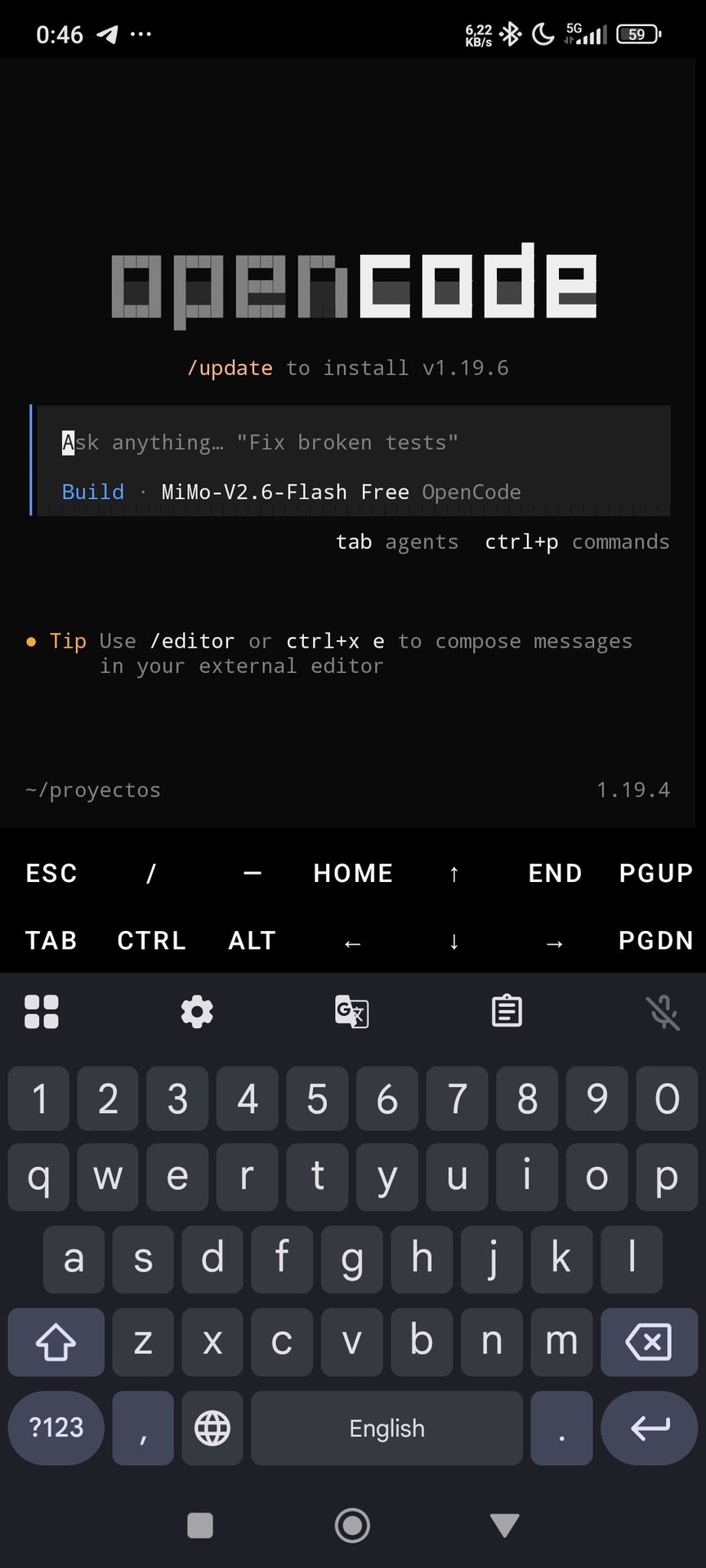
16:46, the prompt. I opened opencode on the phone and wrote, in Spanish: "There is a Xiaomi TV on this network. The other day I tried to install an app and it said there was no memory available. I find that strange. Can you check?" The agent answered: "I am going to locate the Xiaomi TV on the network and check its memory. First I will explore the local network."
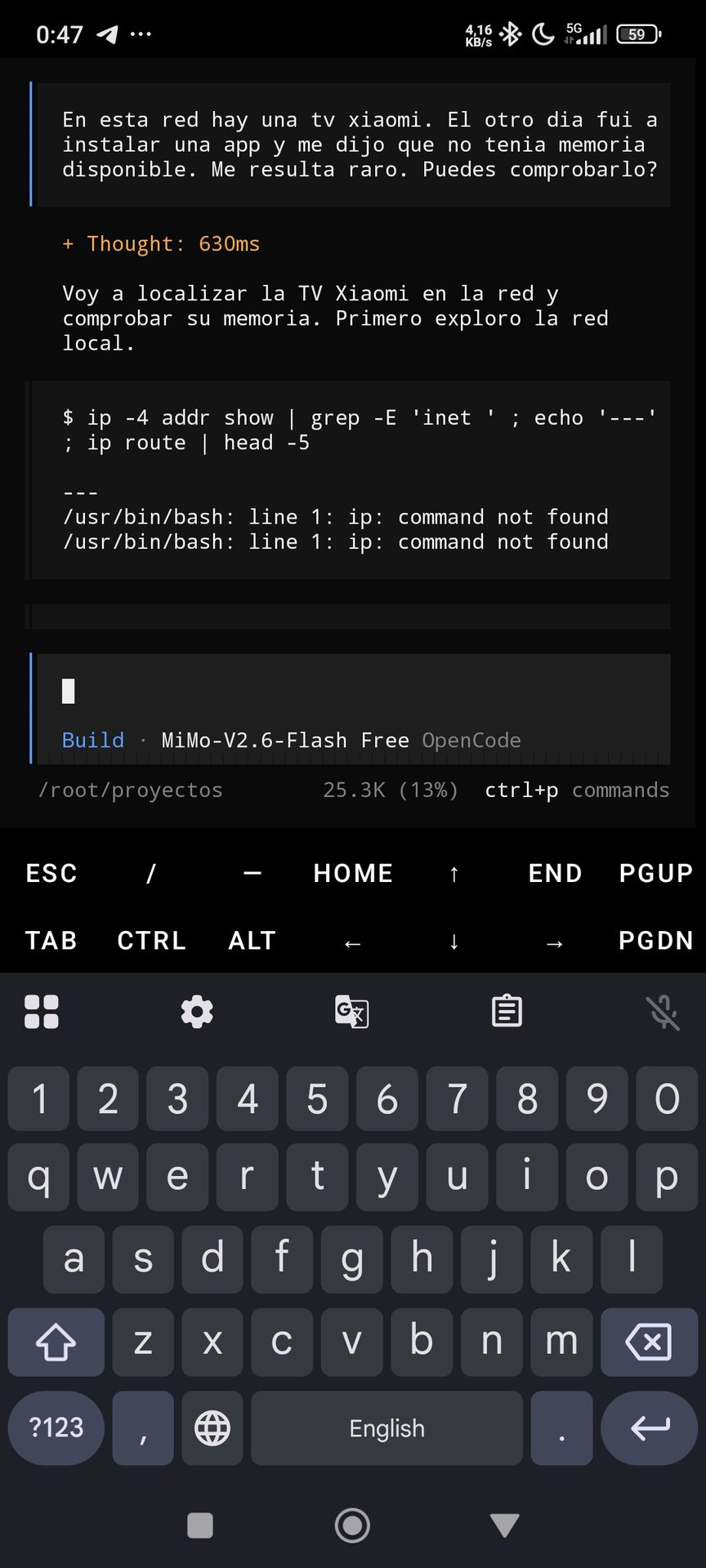
ip command does not exist.Where am I? The first command, ip -4 addr show, fails: "ip: command not found". The agent checks what it does have (which finds nmap and curl) and falls back to ifconfig, which reveals two interfaces: ccmni0, the mobile data link, and wlan0 with address 192.168.1.50/24. Reading /proc/net/route and /proc/net/arp returns "Permission denied": that is SELinux, the sandbox from Part 1.
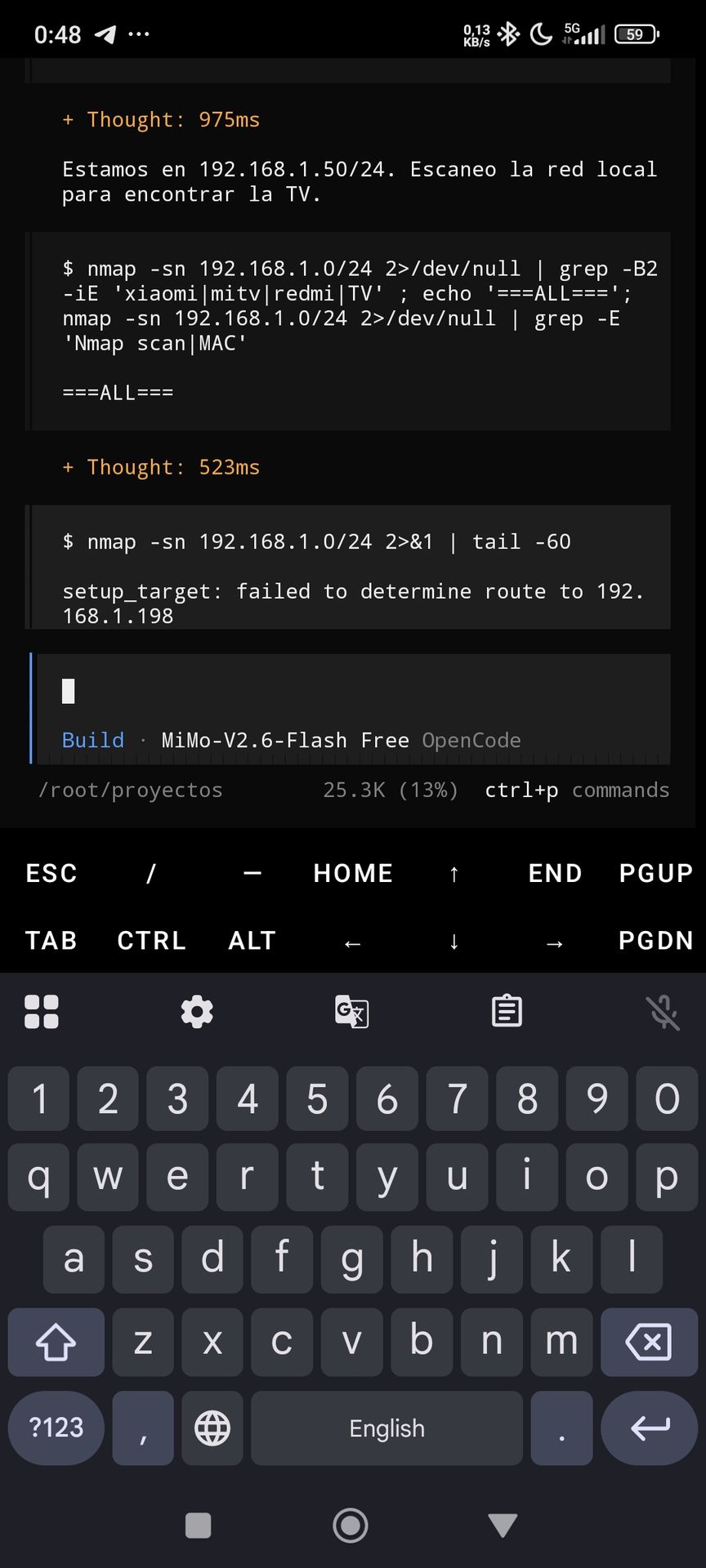
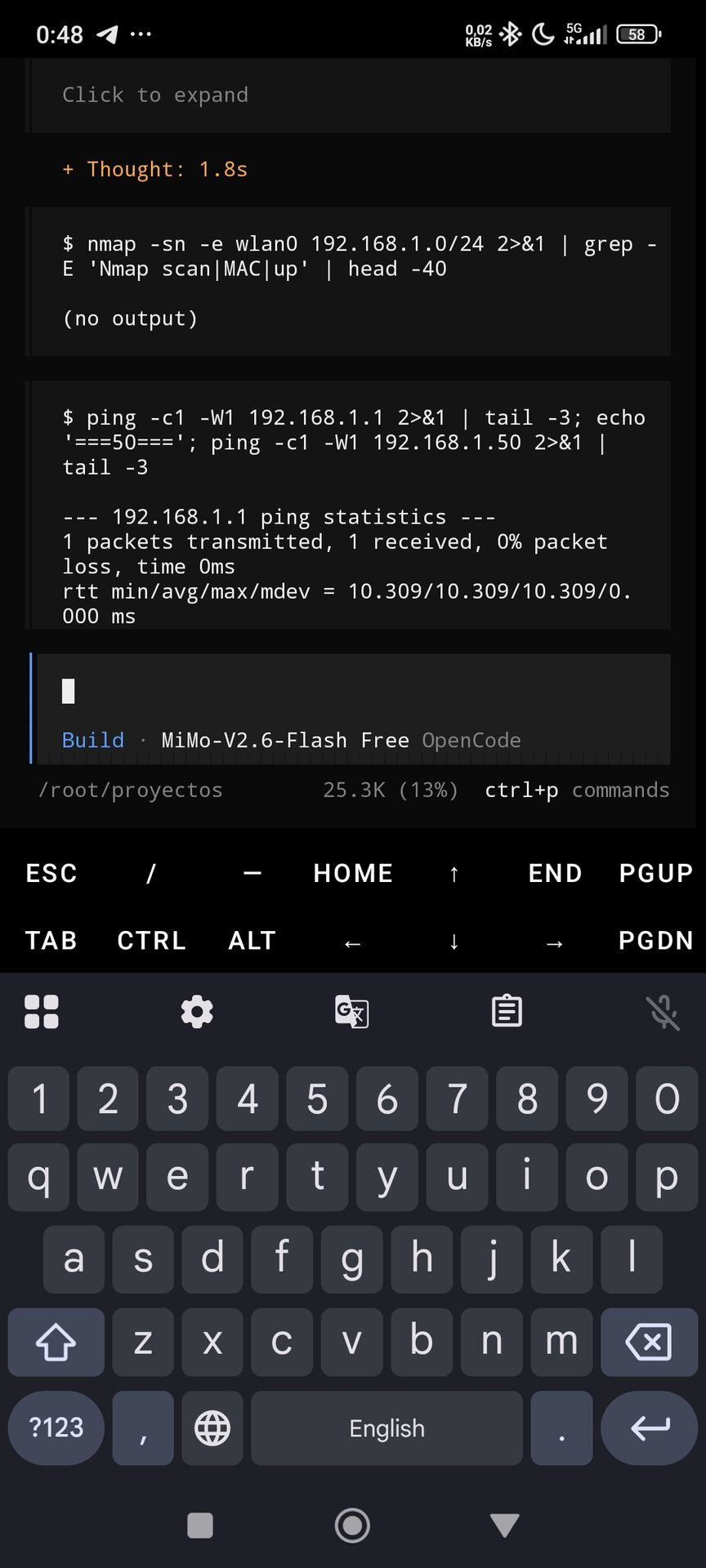
nmap does not behave. nmap -sn 192.168.1.0/24, the classic host discovery, prints "failed to determine route" for every address. Host discovery needs raw sockets and ARP, and proot gives neither. The agent tries forcing the interface with -e wlan0, gets nothing, and tests a plain ping to the router and to itself. Both answer. Its conclusion: "Ping works, but nmap cannot do ARP. I will do a ping sweep."
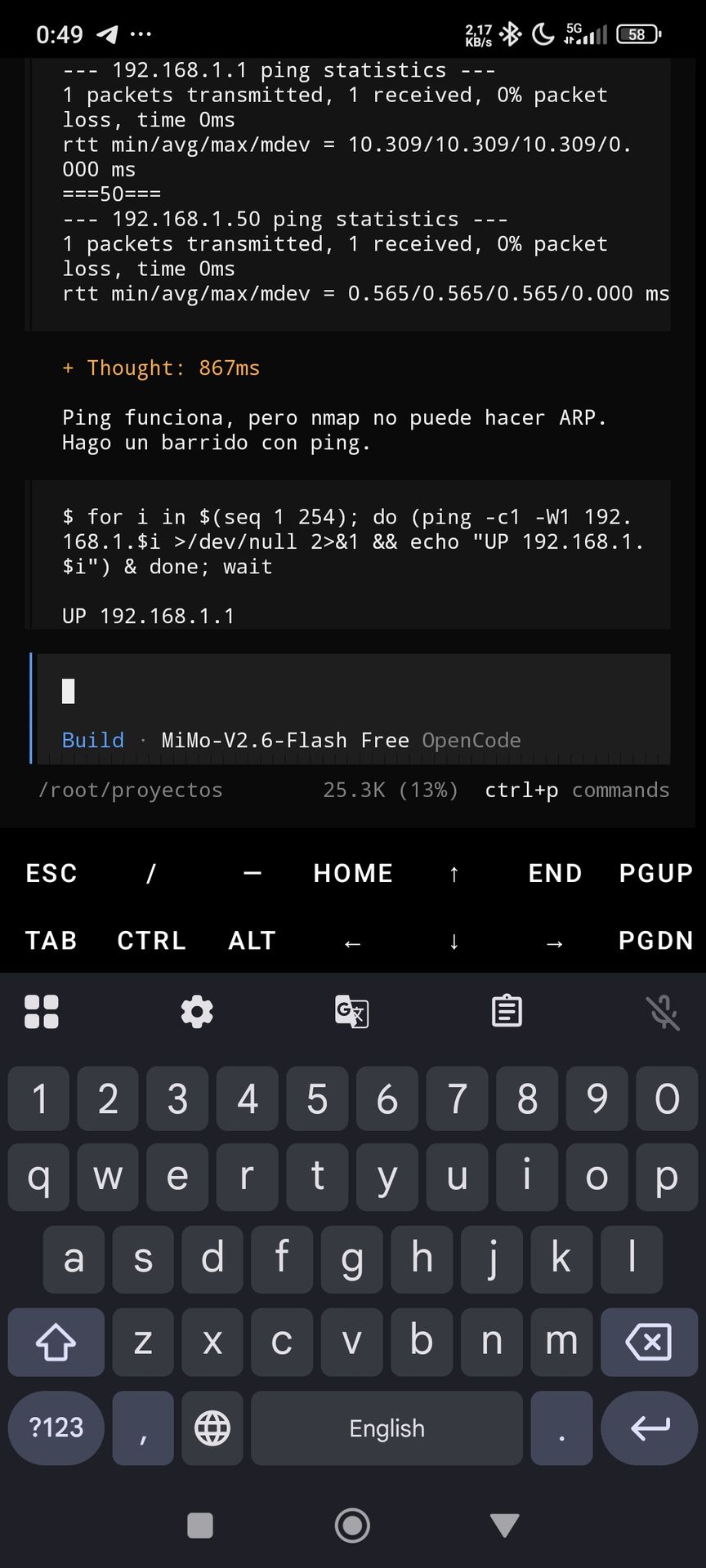
Plan B: a ping sweep. 254 pings launched in parallel with & and collected with wait. Six hosts answer: .1 (the router), .46, .47, .48, .49 and .50 (the phone itself).
for i in $(seq 1 254); do
  (ping -c1 -W1 192.168.1.$i >/dev/null 2>&1 && echo "UP 192.168.1.$i") &
done; wait
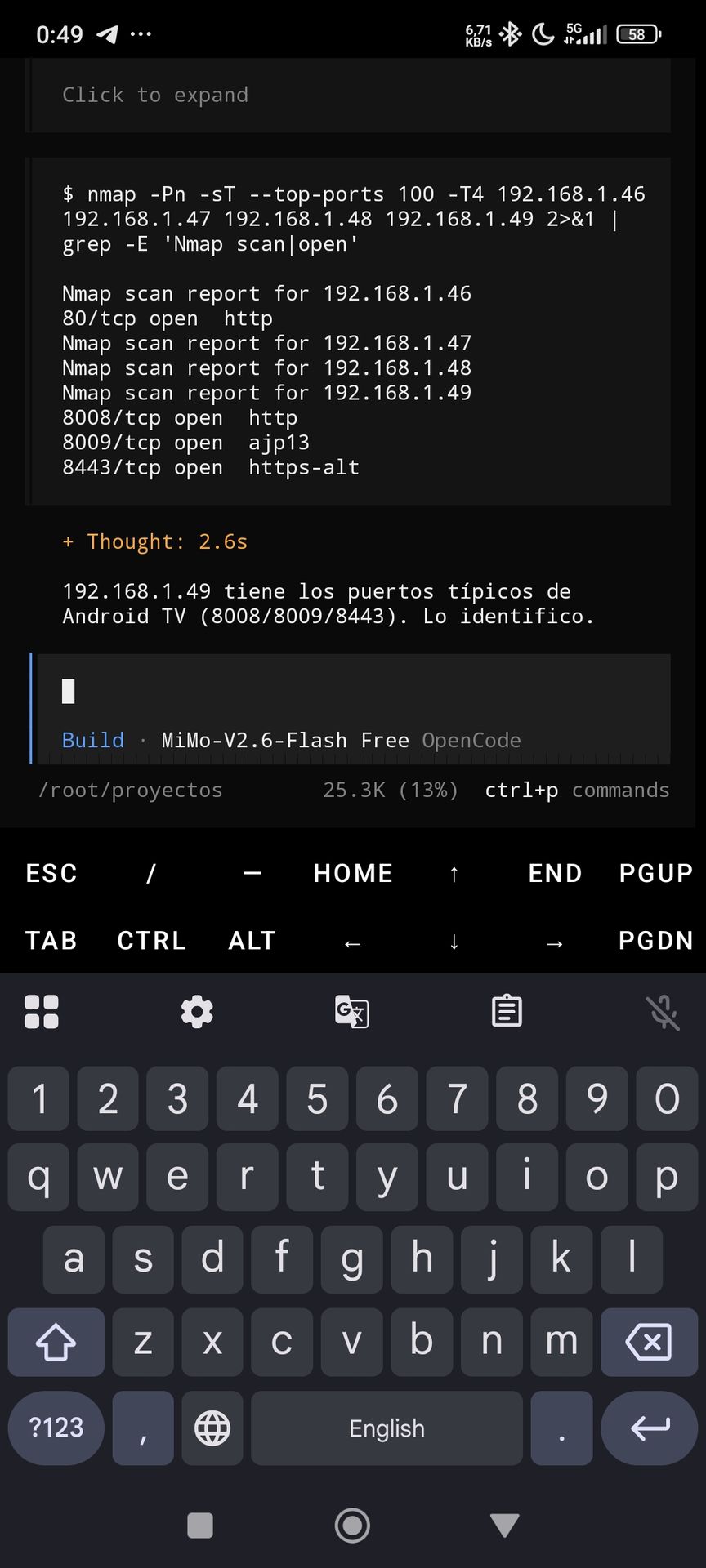
A first fingerprint. A curl -I to each host and an nmap -sT --top-ports 100. The -sT option is a plain TCP connect scan, which does not need any privileges. Result: .49 has ports 8008, 8009 and 8443 open. The agent recognises them at once: "the typical Android TV ports", the ones Google Cast uses.
Dead ends. It tries SSDP discovery, but there is no nc, so it rewrites it in Python on the fly. Nothing. It builds mDNS queries by hand for _googlecast._tcp, _miio._udp and others. Nothing again; its reasoning notes that "possibly the container doesn't receive multicast". It launches a full scan of all ports with version detection, and that hits the 300-second limit of opencode's shell tool. It changes strategy: "The full scan expired. I will go straight to the candidate ports."
17:00, identified. It asks port 8008 for /ssdp/device-desc.xml, the DIAL protocol description that Cast devices publish. The answer gives the game away: friendlyName "Salón LP", manufacturer Xiaomi, model MiTV-MZTU0. To be sure, it reads the TLS certificate on port 8443: issued by "Xiaomi river Mediatek MT9676 Cast ICA", part of Google's Widevine chain. A little later the AirPlay /info endpoint on port 7000 returns a binary plist with version 13.5.2. The agent calls it "Android 13.5.2"; it is really the firmware version the TV announces.
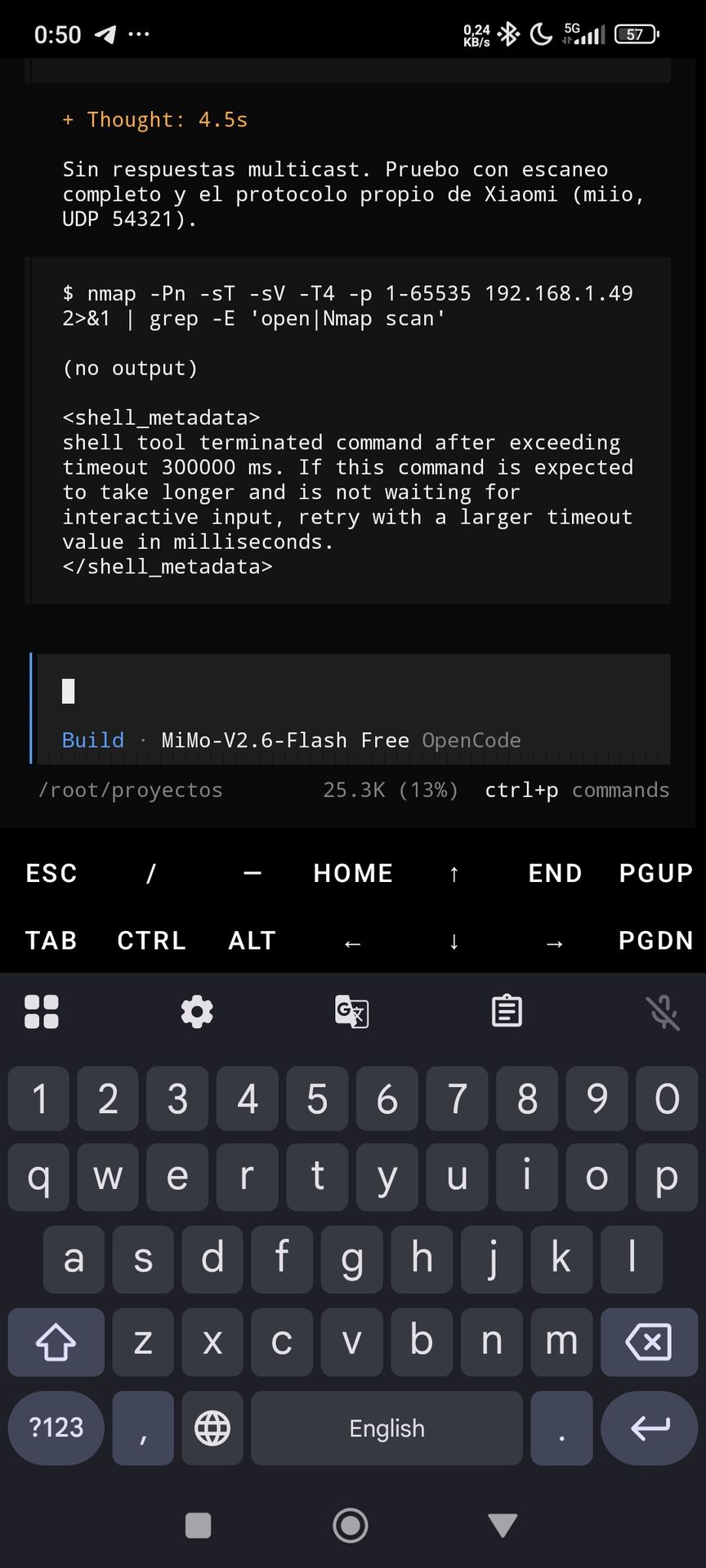
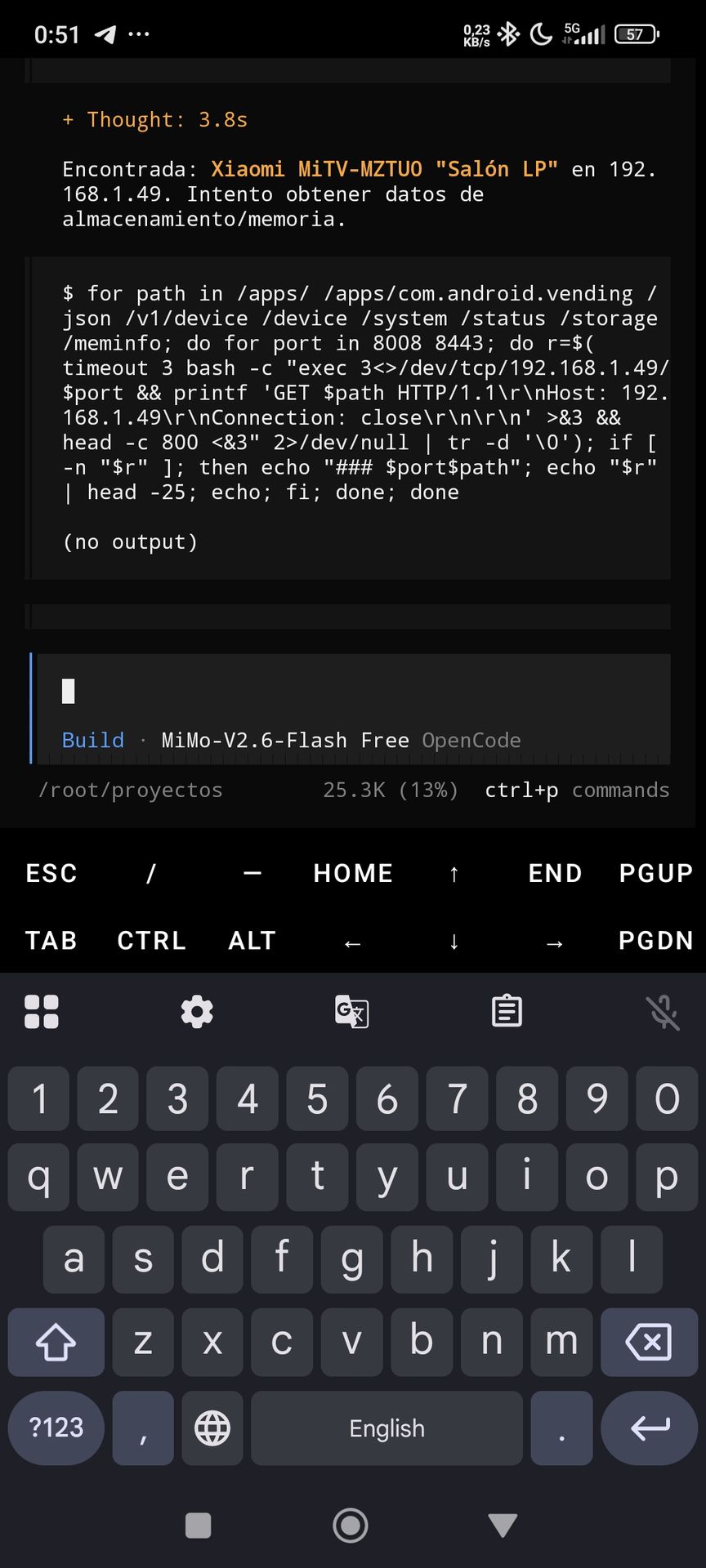
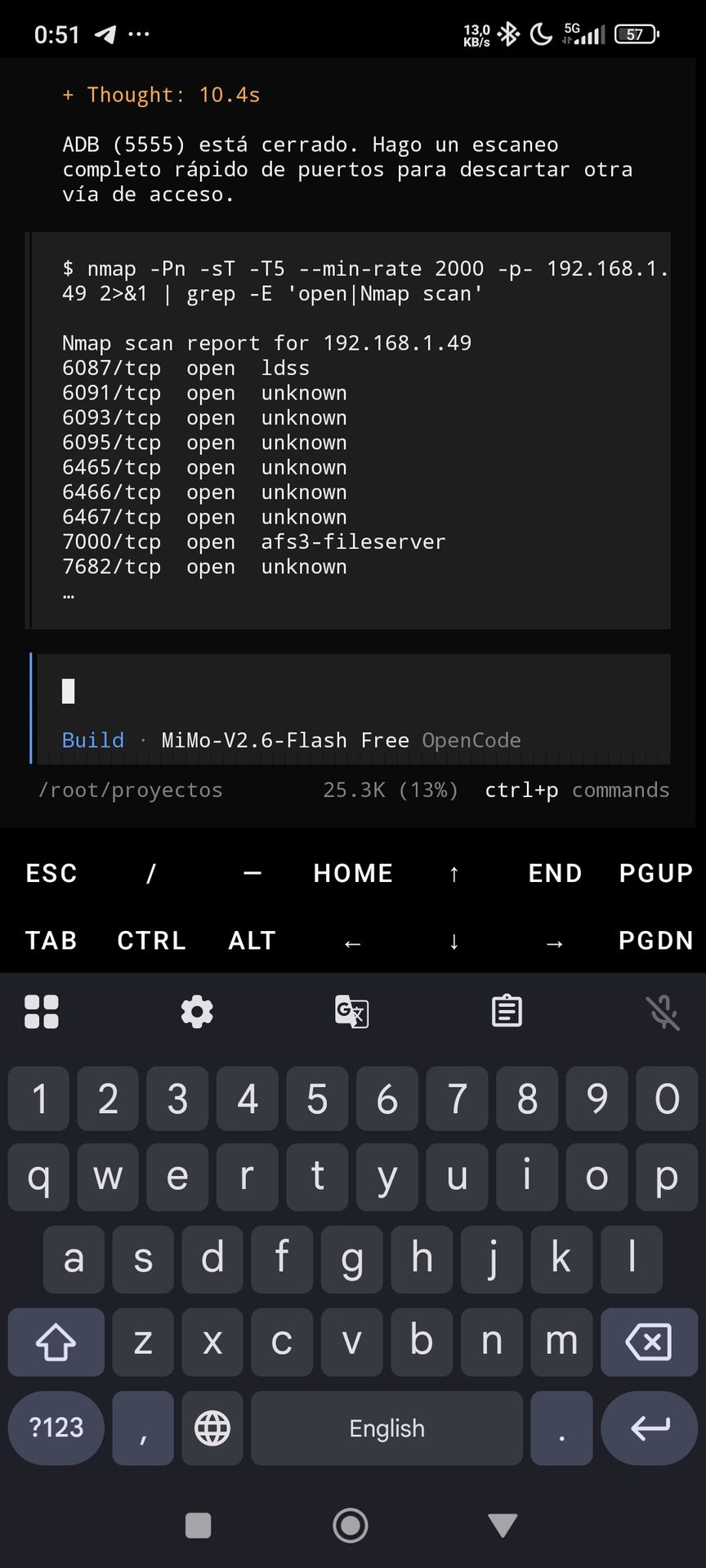
Looking for a way to read the storage. To know how much space the TV has, the agent needs a way in. ADB on port 5555: "Connection refused", debugging is off. Xiaomi's miio protocol on UDP 54321: no answer. DIAL /apps/: empty. So it scans all 65,535 ports, this time fast (-T5 --min-rate 2000), and a lot more appears: 6087 to 6095, 6465 to 6467, 7682, 9093 and 9095, and several high ports.
Port by port. Version detection on the new ports: 6465 to 6467 speak TLS, 6095 and 9095 answer as "MiTV Assistant Server/1.0", and 7682 is an lwsws web server. A funny detail: nmap labels port 38551 as an "IKEA Tradfri zigbee controller", a false positive of its fingerprint database, and the model is suspicious of it in its reasoning.
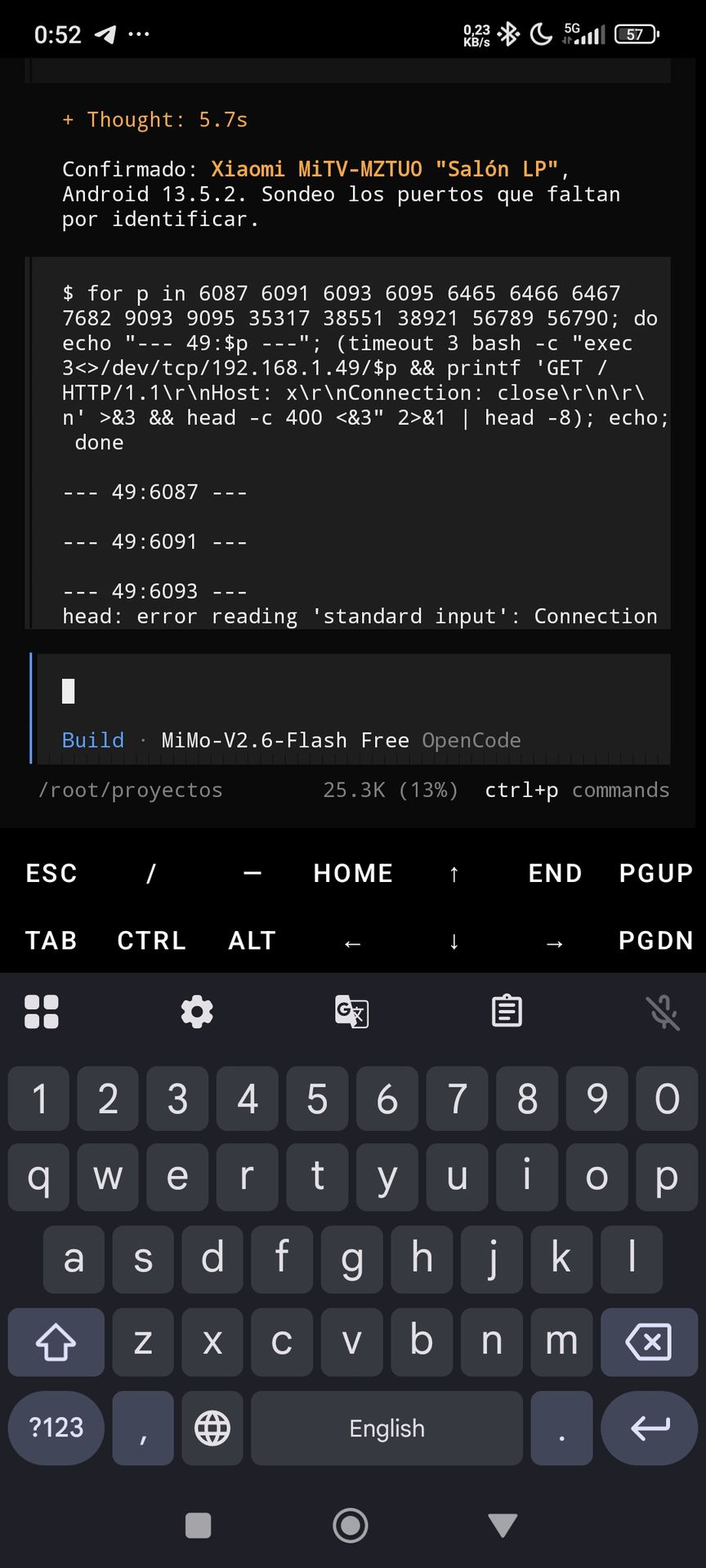
17:07, knocking on every door. It tries a list of endpoints on 6095 and 9095: /api, /info, /status, /storage, /meminfo and more. Every one answers 404. At 17:08 I stopped the last command: I had to leave.
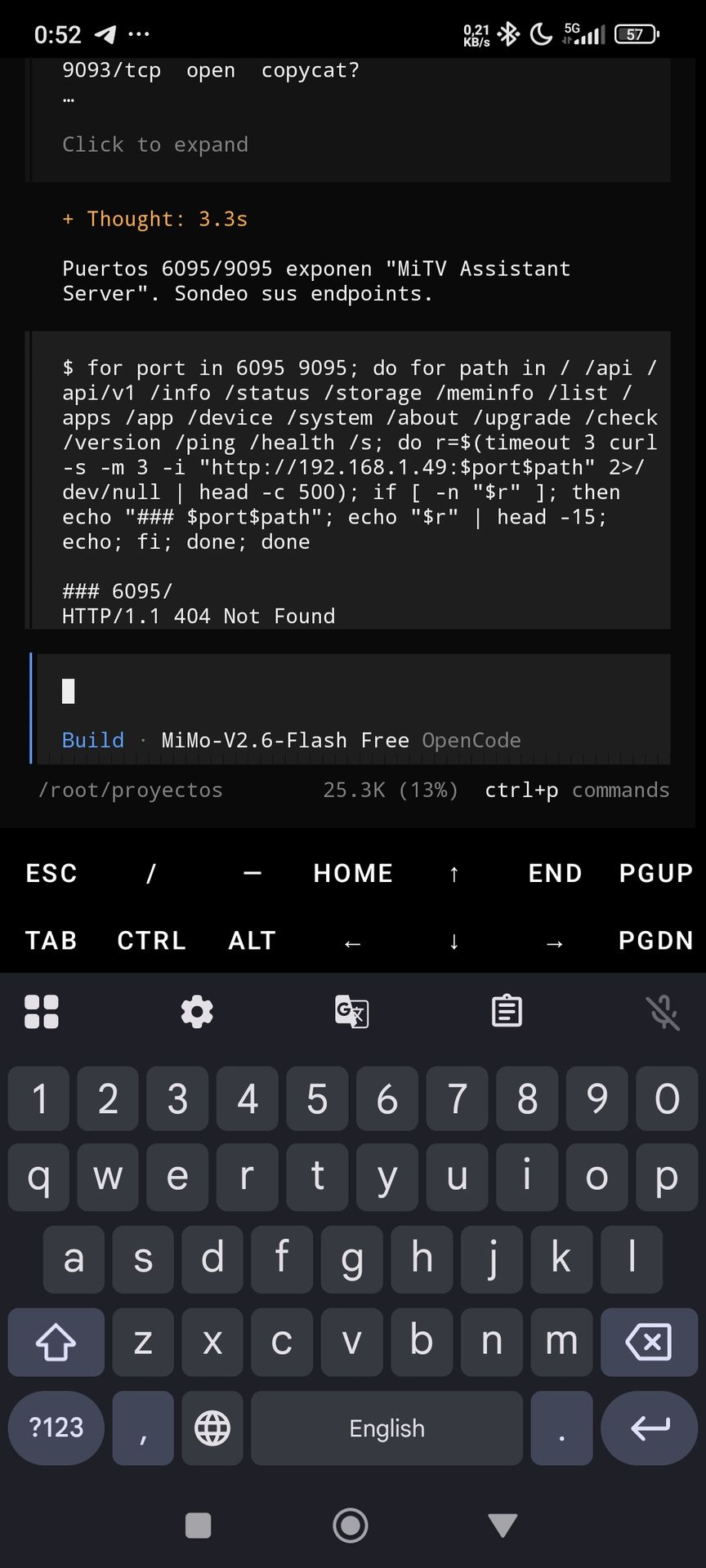
The session in numbers: 22 minutes, 39 commands, none of them typed by me, a final context of 25.3K tokens (13 % of the window), a free model and no root.
The ending: the TV asked for permission
While the agent was probing, the TV showed a request on screen: a device wanted to access the system, did I allow it? I did not accept it. I was in a hurry, so I freed the space by hand and left.
The most likely explanation, and I mark it as such because the TV does not log it anywhere I can read: at 17:04 the agent opened TLS connections to ports 6465 to 6467, which are the ports of the Android TV remote control and pairing service, and right after that it probed the "MiTV Assistant Server", Xiaomi's own control service. One of those connections is what the TV took for a new device asking to get in.
The point of the story is not that the agent finished the job. It is who knocked on the door: an AI running on a phone connected to the same local network as the TV. No root, no laptop, no paid model. Just a phone in my pocket.
What we learned
- The agent adapts. No
ip, no ARP, nonc, no multicast, a tool timeout: every time it found another way. - The Android sandbox limits, but it does not isolate you from the local network. Anything on your Wi-Fi is reachable from any app that can open a socket.
- The TV did the right thing by asking. Put smart TVs and other IoT devices on a guest network or their own VLAN, keep ADB disabled, and never accept a pairing request you did not start yourself.
- Use Plan mode to explore and switch to Build only when you know what it is going to run.
How this post was written
One more agent in the loop. I gave Claude Code the prompt below, it asked me a few questions, wrote a plan, then connected to the phone as described above, read the session, matched every screenshot to its command and drafted both posts. I reviewed them before publishing.
